Beat-making collaboration opens up a fresh way for musicians, producers, and hobbyists to create music together. Thanks to digital technology, I can now work on beats with others, whether they’re across town or halfway around the world. If you’ve been thinking of getting into online music projects or are curious about streamlining your own workflow, exploring beat-making collaboration platforms is a great place to start. This article will guide you through what these platforms are, why they’re valuable, and how you can get the most out of them.
What Are Beat-Making Collaboration Platforms?
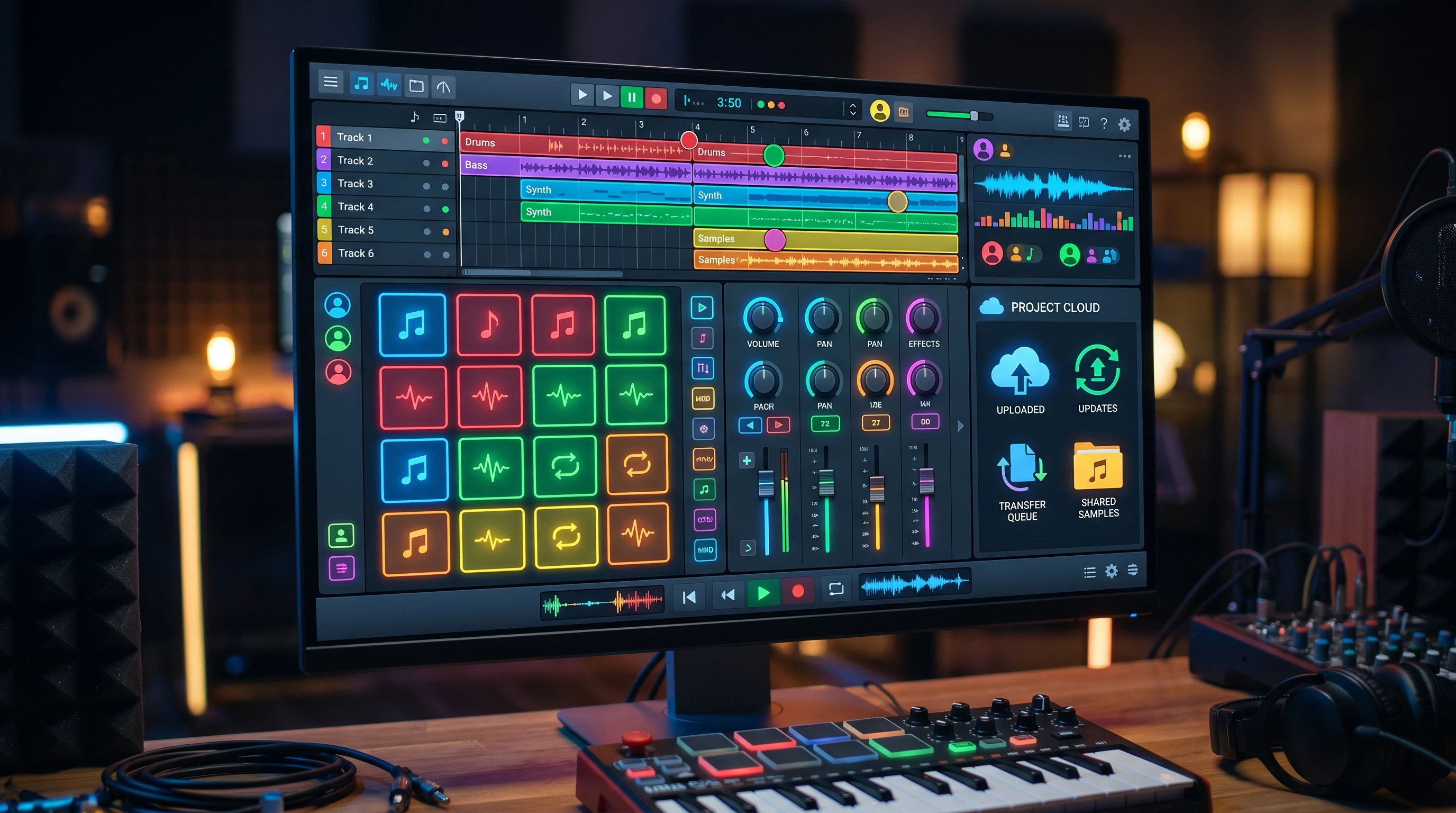
A beat-making collaboration platform is an online service or software that allows multiple users to create, edit, and share beats together in real time or asynchronously. These services let me upload tracks, layer samples, mix audio, and communicate directly with other collaborators. Many platforms also offer cloud storage, integrated chat, and export options, so I can send my work straight to someone else or even post it to streaming sites with a few clicks.
The popularity of these tools has grown as making music at home has become more mainstream. Producers and artists now often rely on remote teamwork to finish tracks or get feedback. Because of this growth, the options on the market range from easy-to-use web apps to advanced tools that integrate with popular digital audio workstations (DAWs).
Getting Started with Online Beat Collaboration
Starting to collaborate online takes a few simple steps. I usually begin by creating an account and exploring the platform’s main tools. Some platforms are browser-based, and others need a quick download or plugin. Once inside, the project dashboard is where I’ll usually upload audio stems, MIDI files, or start new beat sketches that others can build on.
Here are a few basic terms and features I often come across on these platforms:
- Session: This is a project space where the beat comes together. Sessions hold all the individual tracks, ideas, and edits.
- Stems: These are the separate audio tracks (like drums, keys, or vocals) that make up the beat.
- Versioning: This allows me to keep track of changes and roll back if needed.
- In-app Chat or Comments: Some platforms include built-in communication, so feedback and ideas are shared within the session instead of over email or text.
Quick Steps for Productive Online Beat Collaborations
Getting the most out of collaboration platforms comes from developing good habits and workflows. Here’s how I approach most online projects with others:
- Create an Organized Project: Label files clearly and keep the session tidy so other collaborators don’t get confused.
- Communicate Regularly: Leave notes in the session and use the platform’s messaging features to clarify ideas, timing, and direction.
- Use Version Control: Save versions before making big changes, especially when trying something new or experimental.
- Share and Get Feedback: Invite collaborators early, and encourage honest feedback to steer the track in the best direction.
- Export and Finalize: Once everyone agrees on a final mix, export high-quality files for release, publishing, or sharing elsewhere.
Following these steps has helped me work more efficiently and understand what each collaborator wants from the project. This is really important for avoiding misunderstandings and keeping everyone involved.
Things to Think About Before Choosing a Beat Collaboration Platform
I find that the success of a music project depends a lot on picking a platform that fits your needs. Every service offers different tools and has a unique interface, so taking time to research your options can make the whole process smoother. Here are common factors I consider before settling on a platform:
- Compatibility: Make sure the service works with any DAWs, plugins, or gear I already use. Some are best for solo producers, and others are set up for bigger groups with different skill levels.
- Audio Quality and File Formats: Check the maximum file quality supported and which file formats are accepted (WAV, MP3, AIFF, etc.). This makes it easier when uploading large stems or working in different programs.
- Cost and Subscription Model: Some platforms are free, while others have premium features like extra cloud storage, advanced collaboration tools, or project limits.
- Privacy and Rights Management: Look for clear policies that explain who owns the music created and how tracks are protected from unauthorized use.
- Community and Support: Strong communities can provide quick answers, creative partners, and troubleshooting help.
Compatibility
I’ve noticed that not all DAWs or plugins work seamlessly across every platform. If most of my music projects start in FL Studio, for instance, I want a tool that can either import my projects directly or handle my stems without loss of quality. Many producers use tools like Splice or BandLab for this reason. Both are designed to work with popular DAWs.
Cost and Subscription
Budget can affect which features are available to me. Free plans might be fine for beginners, but bigger projects or large groups may need more storage or additional features found in paid tiers. Reviewing the free and paid plans ahead of time can help avoid frustration down the line.
Audio Quality and File Sharing
For serious collaborations, I always check if the platform supports lossless audio. If I’m bouncing files at high quality but the site compresses or downgrades them, my mix and final sound can suffer. High-quality export and import options are super important to keep projects sounding the way I want them.
Privacy and Security
When working on original music, I care about rights management. I look for clear language around who owns which contributions and whether sessions are private, public, or can be easily shared externally. This is especially relevant if my collaborator and I plan to eventually publish or sell the track.
Even with these challenges, the right platform makes collaboration easier and protects my work. Taking the time to review these areas pays off, since I avoid headaches or conflicts later on.
Advanced Tips for Remote Beat Collaboration
Once you’re comfortable with online music tools, exploring advanced settings and creative workflows keeps things interesting. Here’s what’s worked for me:
Make the Most of beat-making Collaboration: Platforms like Soundation or Endless let me and my collaborators work at the same time. Anything I add or tweak updates for everyone live, making sessions feel like we’re together in the same room, even when we’re not.
Layer Unique Sounds: Swapping exclusive sample packs or recording original sounds can help a project stand out from the crowd. I sometimes add field recordings or play with unconventional percussion to inspire everyone involved and encourage experimentation.
Automate Tasks: Using built-in automation for volume, filters, or tempo changes has helped me create more dynamic tracks with less effort. Automation can turn a basic loop into something expressive and professional, and it also saves time when mixing complex projects.
Share Reference Tracks: I often drop in reference songs or mood boards to set a clear vibe for the beat, making sure everyone is working toward a shared vision. This visual or audio guidance helps collaborators stay focused and can spark new ideas if we ever hit a creative wall.
Playing with features and learning from different collaborators serves as a shortcut to developing my own sound. Every new partnership brings a fresh perspective, which not only expands your musical toolbox but also keeps the creative process exciting and rewarding. In addition, it’s useful to set up regular check-ins to review progress and make sure everyone is on the same page before moving forward. Staying organized and nurturing clear communication really can make all the difference in remote beat-making adventures.
Best Beginner Platforms for Beat Collaboration
Choosing the right platform as a beginner can make producing music feel a lot less intimidating. I recommend checking out these options, which are known for being user-friendly with strong collaboration tools:
- BandLab: Offers a free, browser-based DAW with full project sharing and a lively community.
- Splice: Known for sample packs, cloud backups, and solid DAW integration. Works well for sending stems and version control.
- Soundtrap: Lets me record, edit, and collaborate in real time straight from a web browser. It’s good for quick ideas and a simple workflow.
All three let you start quickly with free access, then expand as you develop your skills and work with more people. Each platform is unique, allowing you to find the one that fits your workflow and goals best. If you’re someone who values social interaction, BandLab’s built-in social feed helps you track down collaborators, post works in progress, and get feedback from a supportive audience. Splice stands out for its smooth DAW integration and seamless stem sharing, so you can keep your projects in sync and organized, especially when switching between DAWs. Soundtrap, with its streamlined interface, is perfect for those who want to jump into music-making without getting bogged down by technical details. Its minimal setup is a big plus for those who are just exploring digital music production.
Frequently Asked Questions
Here are some things I often get asked by people new to online beat collaboration:
Question: Can I use mobile devices to collaborate?
Answer: Many platforms have mobile apps or mobile-friendly sites. BandLab and Soundtrap, for example, both let me record directly from my phone or tablet and add audio on the go.
Question: Do I need professional gear for online collaboration?
Answer: Not really. As long as you have a decent mic and headphones, you can create and share beats. Over time, you might want to upgrade as you get more serious, but starting with what you have is perfectly fine.
Question: How can I protect my music and ideas?
Answer: Choose platforms with strong privacy controls. Keep files backed up, and discuss rights and ownership up front with collaborators. It’s also smart to use passwords and two-factor authentication on your accounts for an extra layer of safety.
Wrapping Up
Beat-making collaboration platforms have made it easier to connect, create, and share music with others. I’ve found that picking the right tool and learning its features helps any music project move faster and with fewer roadblocks. Whether you’re just looking to jam with friends or want to build a portfolio, these platforms open the door to new sounds and musical relationships. Getting started takes just a few clicks. You might be surprised how much you can achieve from your own desk or bedroom studio once you find the right collaborators and get into the groove of remote music-making. So, if you’re ready to explore new creative spaces, check out one of these platforms and see where your next collaboration could take you.