Beat-making is a pretty exciting hobby to pick up. Figuring out where to start can be a little overwhelming, especially if you’re new to music production. I remember my first few attempts at putting a beat together. It felt like every little step was a puzzle. Whether you’re dreaming of making hip hop, dance, or experimental tracks, there are some common challenges you’ll probably run into. Knowing about these ahead of time helps you power through instead of getting stuck.
The Basics: What Do You Really Need to Start Making Beats?
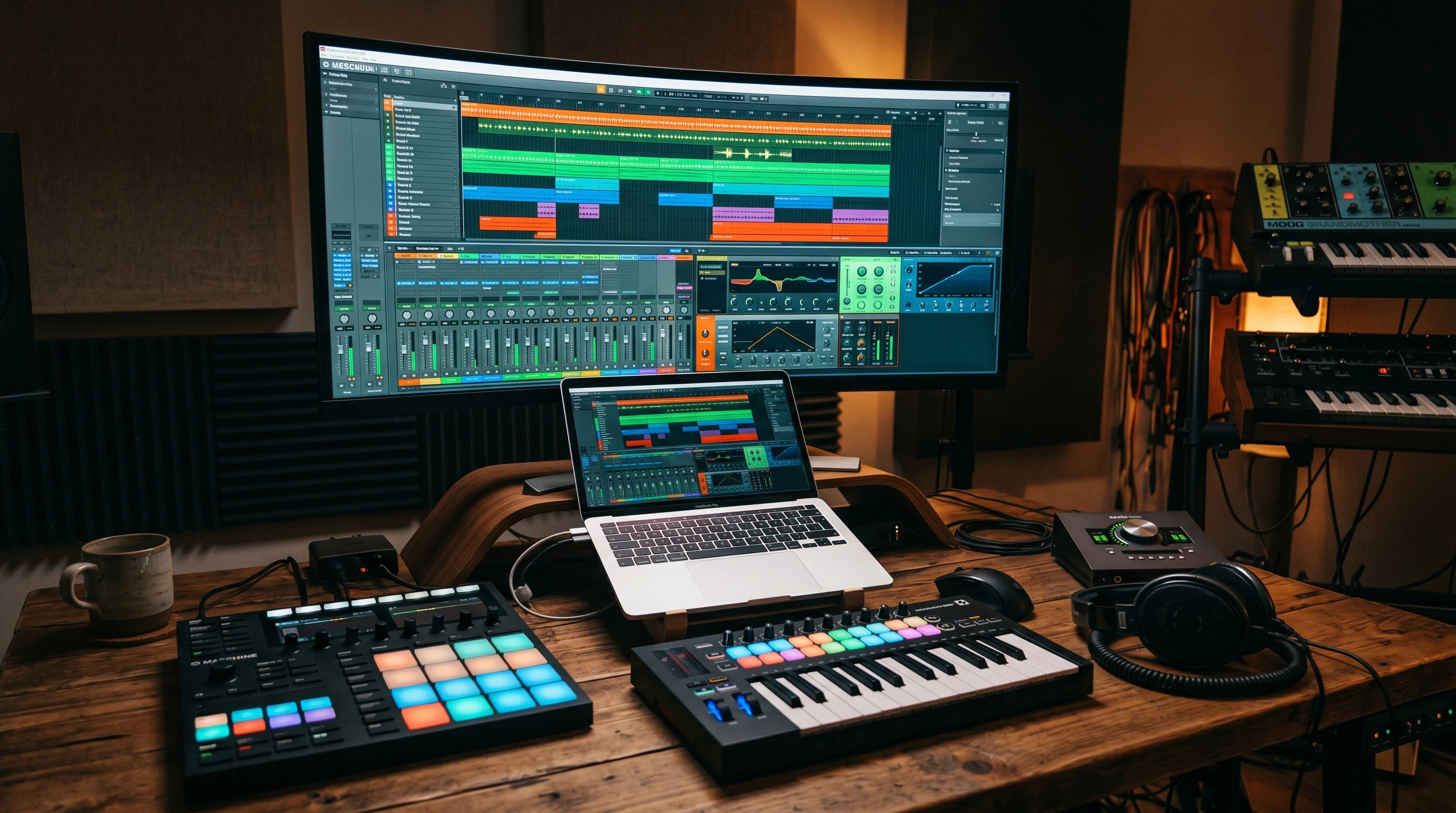
Beat making starts with a few key pieces of gear and software. With so many choices out there, it’s easy to feel lost right out of the gate. The setup doesn’t have to break the bank, and you can always upgrade later as your confidence and skills grow. Here’s a simple breakdown of what most beginners focus on:
- Digital Audio Workstation (DAW): This is the main software you’ll use to create and arrange beats. Popular ones include FL Studio, Ableton Live, and GarageBand (great for Mac users).
- MIDI Controller: A small keyboard or pad controller helps you play in drum patterns and melodies if you don’t want to click everything in.
- Headphones or Speakers: Good sound is super important, but you don’t need pro studio monitors at the start. A decent pair of headphones is usually enough.
- Drum Samples and Virtual Instruments: Most DAWs come with some built-in sounds, but you’ll find tons of free sample packs and synths online, too.
The variety of options might feel a bit much. As long as you have some way to create and hear sounds, you’re set to start experimenting. If you’re trying to save money, there are plenty of free resources and affordable entry-level gear bundles that can help you jumpstart your setup.
Common Beat-Making Challenges for Beginners
If you ask just about any producer, they’ll tell you that starting out is a learning process filled with small wins and a lot of “trial and error” moments. These are some of the more common challenges I dealt with and still see beginners bump into today:
- Learning Your DAW: Every DAW looks different and has its own workflow. The first few sessions will probably be slow as you figure out where everything is and what it does.
- Basic Rhythm and Timing: Coming up with a catchy drum pattern sounds easy, but getting things to groove and line up smoothly takes some practice.
- Melodies and Chords: If you don’t have a background in music theory, it can be confusing to build melodies or lay down chords that sound good together.
- Sound Selection: Picking the right kick, snare, and hi-hat samples makes a big difference. Early on, it’s easy to just pick the first sounds that pop up, but some tweaking goes a long way.
- Arrangement: Making a full beat that isn’t just a loop requires you to think about how your ideas evolve over time. Adding breaks, changes, and transitions really adds excitement to your track.
All of these are totally normal and get easier the more you practice. It’s not about getting everything perfect on day one; it’s about building habits and learning new tricks every time you sit down to make music.
Step-by-Step Guide to Working Through Early Beatmaking Hurdles
When you first open up your beat-making software, the blank screen can be kind of intimidating. Here’s how I usually break down the process so I don’t get overwhelmed:
- Get Comfortable With the Software: Take some time exploring your DAW. Play around with buttons, experiment with demo projects, and look up beginner tutorials on YouTube if you get stuck.
- Start Simple With Drum Patterns: Instead of trying to create a masterpiece, lay down a basic four-on-the-floor kick drum with some simple hi-hats and snares. Make small changes and see how it feels.
- Add a Melody or Bass Line: Try out single notes and see what works. If music theory isn’t your thing, use the DAW’s built-in scale helpers or experiment with random notes until it fits. Over time, you’ll get a feel for what notes blend nicely.
- Layer Sounds (But Don’t Overdo It): Add a few extra percussion sounds, chords, or FX. Keep it minimal at the start. Too many sounds can make your mix confusing really quickly.
- Arrange Your Beat: Take your main loop and copy it out a few times. Then mute or change a few layers each time so it feels like it’s moving in a direction and building up as it plays.
- Export and Listen: Bounce the beat as an MP3 or WAV, then listen to it away from your computer. Jot down what you like or want to fix next time. Playing your beat in a car or on your phone gives you a new perspective, too.
Going through this process a couple of times helps you start to recognize what makes your favorite songs “work” and gives you a framework to improve with each beat you finish. Collaborating with friends, trading beat-making ideas, or joining online forums are also great ways to get inspired and learn new techniques.
Tricky Parts of Beat Making (and How to Work Through Them)
Some parts of beat-making can feel especially tough when you’re learning the ropes. Here are a few specific hurdles that tripped me up, along with some ways I found that help:
Sticky Arrangements
I used to get stuck looping the same 8-bar idea over and over. The trick is to mute a few sounds, drop in transitions like risers or reverse cymbals, or just copy and paste parts to make simple A, B, A, B sections. Don’t worry about making it perfect. Just get to the end and tweak from there. Listen to your favorite songs for arrangement ideas—notice how verses, choruses, and bridges keep things fresh.
Making Beats Sound “Full”
If your beat sounds flat, try adding a little reverb to instruments, layering a few similar drum samples, or boosting certain frequencies using the built-in EQ. Using subtle background sounds like vinyl crackle or a soft pad synth also helps fill in empty space. Automation, which lets you change levels or effects over time, can create fun movement in your music.
Staying Inspired
Creative blocks happen to everyone. When I get stuck, I flip through free sample packs for new sounds or watch a quick producer breakdown on social media. Other times, I just step away for a bit and come back with fresh ears, which really helps. You can also try making a beat in a different genre or style just for fun—sometimes shaking things up unlocks fresh ideas.
Tips for Making Your First Beats Stand Out
There’s no one “right” way to create a beat, but a few habits make the learning process smoother:
- Experiment with Genre Templates: Most DAWs have demo projects or templates. Try remixing them or swapping out drums and instruments to make them your own.
- Use Effects Wisely: Simple effects like reverb, delay, or distortion add personality, but don’t drown every sound. Find a balance; less can be more, especially when you’re starting out.
- Save Your Work Often: I’ve lost more than a few cool beats to crashes. Get in the habit of saving and using version numbers for your projects.
- Set Small, Achievable Goals: Challenge yourself to finish a quick beat in an hour, or limit yourself to five sounds. Gamifying it makes it less stressful and more fun. Try setting goals like uploading a beat every week, or making music in a new style once a month—it keeps things interesting.
Practical Applications: Where Beginner Beats Fit In
Even if your skills are fresh, your early beats have more uses than you might expect. You can use them as:
- Backing Tracks for YouTube or Video Projects: Having original music in the background of your video gives it a one-of-a-kind vibe.
- Practice Tracks for Rappers or Singers: Instrumentals are always in demand for friends or online collaborations.
- Remixes: Try grabbing acapellas or royalty-free vocal samples and putting your spin on them.
- Beat Battles: Join online communities where producers share and compete with beats. It’s a fun, low-pressure way to get feedback and push yourself.
Don’t be afraid to share your work online, even if it feels unfinished. Feedback from others will help you improve and give you ideas for what to try next. Platforms like SoundCloud and BandLab are perfect for uploading rough drafts and swapping tips with other musicians.
Frequently Asked Questions
There are some questions that always pop up from people starting out in beat-making. Here are a few with some practical advice:
Question: What’s the best software for beat making if I’m a total beginner?
Answer: Easy-to-use DAWs like FL Studio, GarageBand, and Ableton Live Lite all work well. I suggest downloading the free trial versions to see which feels most comfortable for you. There are also apps for tablets and phones, so if you want to make beats on the go, explore those options too.
Question: How do I make my beats sound more professional?
Answer: Start by balancing the levels of your instruments, use compression sparingly, and keep your drum patterns tight. Reference songs you like and compare your music’s energy and clarity. Over time, play your beats on different speakers to see how they hold up in various environments.
Question: Is music theory required for making good beats?
Answer: It’s helpful, but not required. Many great producers don’t have a music background. DAWs often have tools to help you stay in key or build simple chords, so don’t let theory scare you off. You can always learn a few basics as you go. It can add flavor, but your creativity is what matters most.
Getting Better Over Time
Every beat you finish teaches you something new, and sticking with it pays off. Mess around with new sounds, try collaborating with friends, look for beat-making communities, and don’t get discouraged by slow progress. The skills you build now make future projects easier—and honestly, the fun is in experimenting and breaking out of your comfort zone. Keep your first beats around so you can look back and see how far you’ve come. Stay curious, stay patient, and keep dropping those beats. Your next song might be your best yet! Remember, there’s no rush—enjoy every session and keep the momentum going.
This is an excellent and encouraging guide for beginners stepping into beat-making and music production. I really like how you balance practical technical advice with creative motivation, especially your emphasis on experimentation, consistency, and not chasing perfection too early. The section on overcoming common hurdles like arrangement issues and creative blocks feels especially relatable and valuable for new producers. Your conversational approach makes the learning process feel approachable while still delivering genuinely useful insights for building long-term music production skills.