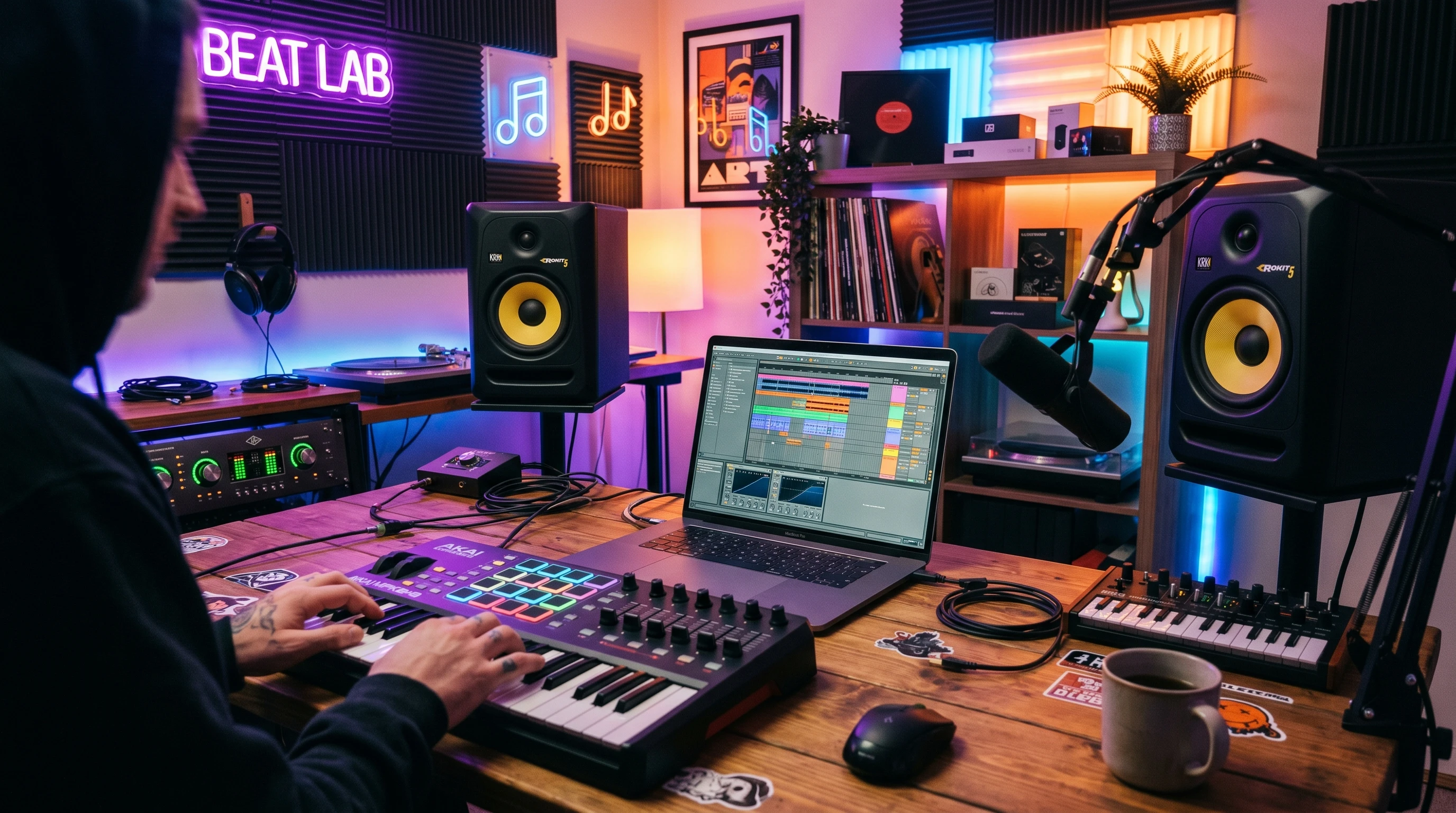
 Beat making isn’t just about banging out drum loops on a MIDI pad controller. It’s a craft that blends creativity with technical chops. More and more producers, both newcomers and veterans, are getting into digital beat making, hunting for tips to develop signature sounds, take up their workflow a notch, and actually finish tracks they’re proud to play for others or even get signed! I’ve spent years cooking up beats in the studio, experimenting with technology, and learning from some really talented artists. Now, I’m passing on what I’ve picked up along the way so you can refine your process, dodge the classic missteps, and have more fun making what you love.
In this masterclass, I’ll walk you through every step, from your setup to exporting the final beat. You’ll get actionable guidance at each stage, whether you’re new and starting with a basic laptop or you’ve already got a home studio packed with gear. Afterward, you’ll find answers to some of the most common questions producers have when getting deeper into the world of beat making, plus a few bonus tips to kickstart creativity in your next session.
Get Your Tools Ready for Beat Making
Starting with the right setup makes everything else way easier. You really don’t need to break the bank to start making eye-catching beats, but having some basics sorted will help a lot. I started out with nothing but a slightly dodgy laptop and a pair of headphones, so don’t let gear envy hold you back. Budget shouldn’t stand in your way when it comes to getting creative!
Essential Gear for Producers:
- DAW (Digital Audio Workstation) – This is the main software you’ll use to build your beats. Popular options include FL Studio, Ableton Live, Logic Pro, and GarageBand for Mac users. Each comes with its own workflow, so check out a few free demos before settling on one that feels right for you.
- MIDI Controller – This is totally optional, but I love using a pad or keyboard for laying down drum rhythms and melodies. There are budget-friendly options; even a tiny MIDI controller can speed things up.
- Studio Monitors or Good Headphones – Clarity is important when mixing. If you don’t have monitors yet, a decent pair of headphones will get the job done.
- Audio Interface – Helpful for plugging in mics or instruments, but not strictly required for all digital production. If you mostly make beats with just samples and virtual instruments, you can skip it for now.
Keep your setup organized to smooth the way for creativity. I keep a folder of my favorite drum kits, samples, and presets handy so I waste less time searching and more time creating. Consider adding a few fun instruments like a shaker or tambourine for live layering.
Find Your Signature Sound
Finding your unique style as a producer is super important, even if you’re just starting out. I remember copying my favorite trap patterns at first, but gradually adding my own little twists on melodies and hihat grooves. The more you make, the more you’ll notice patterns in what you like and what you don’t.
Tips for Discovering Your Style:
- Listen to a variety of genres. Sometimes inspiration comes from the least expected places, and mixing in some variety broadens your creative vision.
- Layer sounds. Combine two different snares or stack synths for more character. Even a small layer can add depth.
- Experiment with swing and groove. A slight delay on a clap or off-grid hi-hat can make a beat come alive.
- Stay curious with effects like reverb, delay, and distortion. Simple tweaks can drastically change a sound and spark new ideas.
Don’t stress about being original on your first few beats. Copying and remixing styles is part of learning. Pay attention to the details you gravitate toward. That’s how you’ll find your own lane. If you ever get stuck, try swapping drum kits or flipping a melody. Sometimes that’s all it takes to track down something fresh and inspiring.
Build a Killer Drum Pattern
A catchy beat lives and dies by its drums. I always start with a simple kick and snare, then add extra percussion to keep things moving. The right drum groove can set the whole mood, so don’t be afraid to try several different patterns before settling.
Step by Step Drum Building:
- Lay Down a Kick Pattern – Keep it simple at first. Try a classic four on the floor for house, or alternate kicks for trap and hip-hop.
- Add Snares or Claps – Most genres place snare hits on the 2nd and 4th beat. Once you’re confident, try layering different snares for more punch.
- Hihats and Percussion – Start with steady 8th or 16th notes, then toss in some rolls or stutters to spice things up.
- Add Extra Percussion – Little touches like rim shots, snaps, or bongos fill out the rhythm and make your groove unique.
When I get stuck, I mute everything but the drums and listen. If my head’s not nodding, I know it’s time to tweak velocities or swap out samples until it feels right. If you’re really looking to change things up, try programming your rhythm on a different grid or time signature for a challenge.
Melody and Chord Magic
Melodies and chords give your beat emotion and vibe. You don’t need to be a piano wizard. Some of the best beats use super simple two-note melodies or single-chord drones with a cool instrument patch. The magic is in the simplicity and the choice of sounds.
Melody Building 101:
- Pick your instrument: synth, keys, guitar, or found-sound sample.
- Hum or tap your melody first. If you can’t sing it, your listener likely won’t remember it. Ear candy is key!
- Keep it repetitive, but add variation every few bars, whether it’s a pitch change, extra note, or effect sweep.
- Stack your melodies. Maybe have a deep pad or bass with a brighter lead on top. Balance is key.
Don’t forget to play around with effects. I like dropping a lowpass filter on my main melody for the verse, then taking it off for the chorus or drop to give a boost to the energy. If you’re feeling brave, try reversing a sample or chopping it up for interesting textures that make your beat stand out.
Arrange Your Beat: Structure for Listeners
Beat making isn’t just about cool loops; it’s about how those loops grow into a complete song. I usually lay out an intro, verse, hook, bridge, and outro. Sometimes just adding a four-bar break makes the difference between a beat that feels repetitive and one that pulls listeners in and keeps them tuned in from start to finish.
Arranging Made Simple:
- Start with an intro. Strip back the elements; use a filtered melody or just drums.
- Verse. Bring in your main melody and basic rhythm for progression.
- Hook/Chorus. Stack the sounds, make it bigger, and raise the energy to grab attention.
- Bridge or breakdown. Change up the drums or use a totally different instrument for four to eight bars; it shakes things up.
- Outro. Fade out or remove elements until only the melody or drums remain, letting your track wind down smoothly.
I keep notes as I go, marking where I want things like a vocal tag or sudden drop. Trust your gut; if a section drags or feels flat, try cutting some bars or flipping the pattern. Sometimes a little muting or a new transition will make sections pop.
Mixing for Pro Sound
Mixing your beats will make a huge difference, especially if you share them online or pitch to artists. Even a quick mix can make your idea sound way more polished and professional, helping you stand out.
Simple Mixing Tips:
- Levels and Panning – Keep the kick, snare, and main melody front and center. Pan secondary instruments slightly left or right for better space in your mix.
- EQ Basics – Use an equalizer to cut out low-end rumble from non-bass sounds, and add a bit of brightness to lead instruments.
- Compression – Light compression on drums can glue them together and help them punch through the mix without going overboard.
- Reference – Play your mix through speakers, headphones, and even your phone. I check on all three to spot muddiness or sharpness I missed and make sure it sounds good everywhere.
Mixing is part science, part vibe. Use your ears, and don’t get overwhelmed by fancy plugins. The stock tools in your DAW work just fine for most situations. If you want to turn things up a notch, check out some trusted mixing guides or watch a few YouTube tutorials for extra tips.
Export and Share Your Beat
Once your beat sounds good and you’re happy with the arrangement, it’s time to export. Pick a common format like WAV or high-quality MP3. I usually bounce both so I have options for streaming or sending to artists. Double-check your track’s start and end, and listen back to the exported file to make sure nothing’s missing.
Sharing Beats Online:
- Upload to SoundCloud, YouTube, or BeatStars. These platforms are popular among producers and listeners.
- Share short snippets on Instagram or TikTok, maybe paired with a flashy visualizer or behind-the-scenes video.
- If you want to sell, check the rules about using certain samples and read up on basic publishing rights. Signing up for ASCAP or BMI can help protect your work and allow you to collect royalties if your beats are used.
Stay consistent with sharing; even a rough draft can lead to cool collabs or valuable feedback. The more you put your work out there, the more you’ll connect with other artists and grow your skills.
Common Questions About Beat Making
What if I don’t play an instrument?
You don’t need to! Use the piano roll in your DAW to draw in notes or look for MIDI packs online. There are tons of amazing sample packs with melody and chord loops ready to tweak. Don’t let not playing an instrument hold you back; technology has your back in modern beat making.
How do I break out of beat block?
- Flip a sample or try writing in a new genre you don’t usually get into. Sometimes switching the vibe reignites your creativity.
- Team up with another producer. Sometimes just bouncing ideas back and forth gets things moving again.
- Give yourself a timer—20 minutes to finish an idea, even if it’s messy. Speed forces you to focus on finishing rather than perfecting.
How much gear do I need to get serious?
Start with what you have right now. I’ve sold beats made on nothing but my old laptop and earbuds. Upgrade when you truly feel limited, not because you think new gear alone will bring your beats to the next level. Skill and creativity matter more than expensive equipment.
Wrapping Up & Your Producer Action Plan
Taking your skills up a notch as a producer is about building a workflow that works for you. Invest time into learning your tools, experimenting with sounds, and actually finishing tracks. Each beat you make, even the ones you scrap, teaches you something new and makes your style stronger.
Action Plan for Producers:
- Pick a DAW and get familiar with the interface. Watch tutorials and practice quick sketches to get comfortable.
- Start with simple drum patterns. Build confidence, then add percussion and melodies, slowly stacking your skills.
- Try arranging a full beat, then export and share it with someone for feedback. Don’t be afraid to show unfinished work—feedback fuels improvement!
What’s one new trick or tip you’ll try in your next beat session? Drop your thoughts or share your links below—I love checking out new producers and hearing fresh ideas!