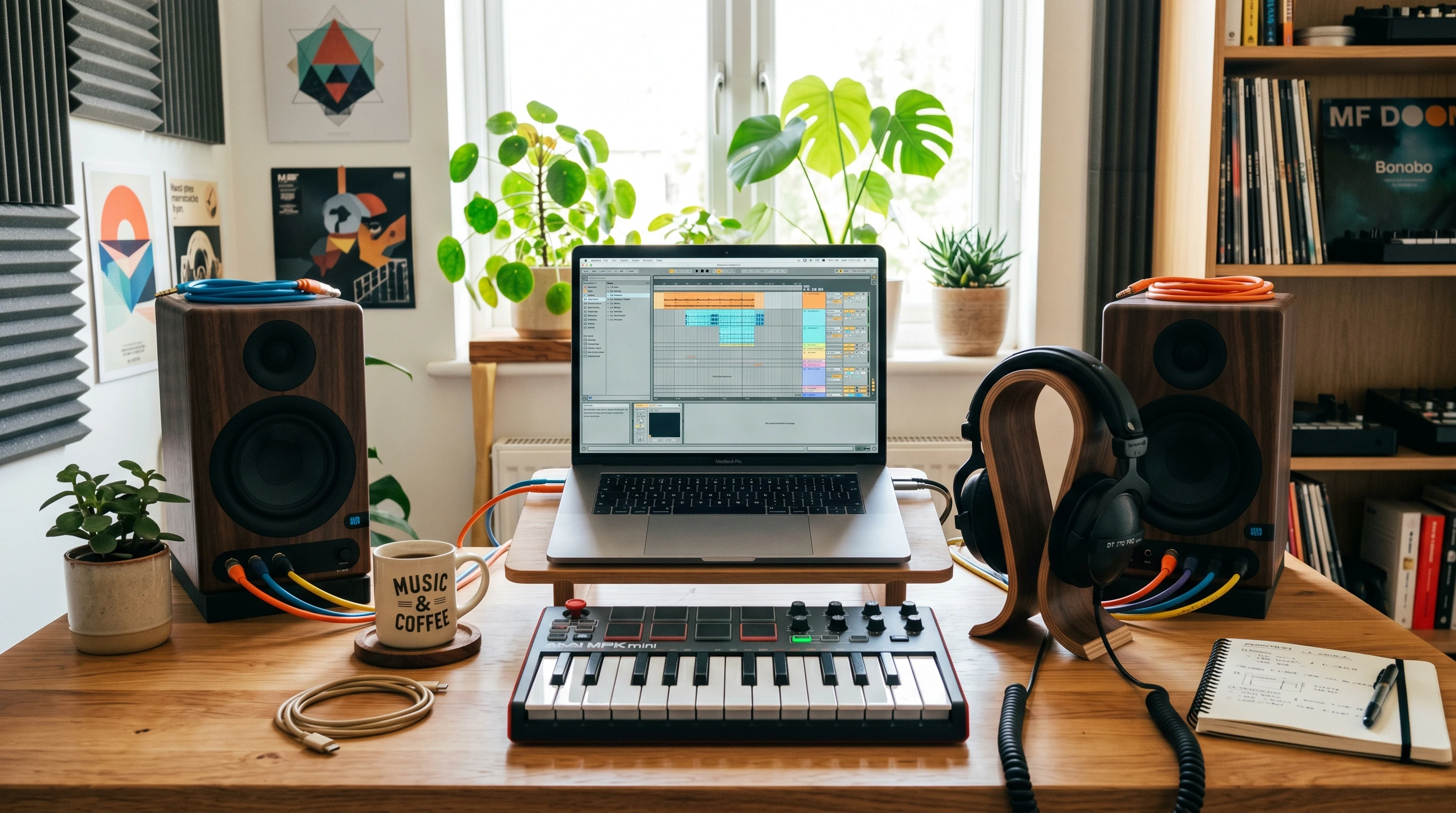
 Jumping into beat production can feel pretty overwhelming, especially with all the software, gear, and techniques out there. I remember when I started: I didn’t know where to begin or which steps were actually important for making a decent track. The good news is, anyone can learn the basics of beatmaking at home, even with just a laptop and headphones. A few key steps and a little practice can take you from absolute beginner to making your own catchy beats in no time.
Beat production opens doors to creativity, whether you’re into hip hop, EDM, pop, or any style that makes you want to tap your feet. I’ve found that getting down the basics first helped me build up my confidence and experiment more. Here’s a straightforward guide with easy techniques and some pro tips to help you feel comfortable in your beatmaking adventure.
This guide breaks down beat production techniques into practical, easy-to-follow steps for beginners. You’ll learn how to choose the right tools, build your first beats, add variety, and finish a song you can share with friends or online communities.
Step 1: Pick Your Software and Gear
Before making any music, you need the right setup. The cool thing is you don’t need expensive equipment. Most beat makers begin with a laptop, headphones, and free or budget software.
What You Need to Start:
- Laptop or desktop computer: Pretty much any modern computer will do. Even older laptops can handle beginner projects.
- Digital Audio Workstation (DAW): This is the software for arranging, recording, and mixing your beats. Great beginner-friendly options include FL Studio, Ableton Live, GarageBand (Mac only), and Cakewalk.
- Headphones or speakers: A good pair of headphones helps you hear the details, but you can start with whatever you have.
- Optional – MIDI controller: These plug into your computer and give you piano keys or drum pads for playing sounds. Not required, but they’re fun if you want to play in your rhythms live.
Don’t get stuck shopping for gear forever. Start with what you have, and only upgrade if you feel limited by your current setup.
If you feel a little lost looking at different DAWs, pick one and stick with it for now. Most important skills, like programming drums and arranging tracks, work pretty much the same way in every DAW. Many companies also offer free trials, so you can try out a few and see what matches your style. Remember, many top producers started with the basics—you don’t need the fanciest setup to make something awesome.
Step 2: Learn the Building Blocks of a Beat
Every beat, no matter the genre, has a few main ingredients: drums, bass, melody, and sometimes extra effects. Understanding these parts helps make your beats sound full and interesting.
Basic Drum Elements:
- Kick Drum: The low punch you feel in your chest, usually lands on the 1st and 3rd beat in hip hop.
- Snare Drum or Clap: Snappy, loud sound, often on the 2nd and 4th beats.
- Hi-hats: Tick-tick pattern that gives the beat forward movement. You can experiment with simple or fast repeating hi-hats for different vibes.
Other Key Parts:
- Bassline: Adds depth and groove. Even a simple bass note makes a difference.
- Melody: Catchy notes, synth lines, or samples—whatever carries your beat.
Try listening to your favorite track and notice when drums, bass, and melody kick in. It’s a useful exercise before making your own.
Stumbling upon unique sounds or rhythms can be as easy as playing with the kits already included in your DAW. These can spark ideas for your own tracks, so don’t hesitate to experiment and check out different options.
Step 3: Build Your First Drum Pattern
The drum pattern is where most beats start. Almost every DAW has a drum sequencer or sampler that lets you build grooves by clicking boxes or triggering samples on a grid.
How to Make a Simple Drum Pattern:
- Add a kick drum on beats 1 and 3 of each bar.
- Add a snare on beats 2 and 4.
- Place hi-hats evenly between the kicks and snares (these often go on every 1/8th or 1/16th note).
This rhythm is the backbone of most hip hop and pop tracks. Once you master this pattern, you can easily get creative by moving things around or layering extra percussion.
Pro Tip – Quantize!
If your notes sound offbeat, use your DAW’s quantize feature. It lines up notes to the grid so everything feels tight and in time. Super useful for beginners.
Don’t be afraid to mix things up with your drum patterns. Try shifting the kick or snare slightly, or adding extra hi-hat hits for added energy. Even little changes can make your beats feel more unique.
Step 4: Add Bass and Make It Groove
Bass and drums work together like best friends. A strong bassline gives your beat power and movement. Even if you don’t know music theory yet, you can make simple bass patterns by following your drum rhythm and sticking to low notes that sound good together.
- Use your DAW’s built-in bass instrument, or pick a sample from the library.
- Draw or play in a simple pattern—maybe just a couple of repeating notes to start.
Listen to how the bass blends with your kick drum. If they clash, try changing the timing or notes until it sounds smooth and bouncy.
A quick trick: Start with your bass notes matching the kick drum, then move notes up or down if the vibe feels too basic. Little changes keep things interesting and can add some bounce to your groove.
Step 5: Layer Melodies and Sounds
This is the stage to add some flavor—try a simple synth melody, some vocal chops, or short samples. Keep it super simple at first. Even a two- or three-note melody can make a beat feel catchy.
How to Keep It Interesting:
- Start basic. Hum a tune, or play a few notes in your DAW piano roll.
- Experiment with instrument sounds (synths, keys, even guitar).
- Use effects like reverb or delay to add space and variety.
If you get stuck, don’t be afraid to swap out sounds or delete ideas. The fun of beatmaking is trying things that sound good to you.
For inspiration, stumble upon royalty-free sample packs online—these can be a gold mine for new melodies or filler sounds. Take advantage of built-in effect presets to add some next-level cool touches.
Step 6: Arrange and Structure Your Beat
After you build your loops, you’ll want to craft a song structure so it doesn’t sound repetitive. Even a simple structure works well for beginner beats.
Common Beat Structure:
- Intro: A few bars to set the mood.
- Verse: Main loop plays as vocals (or main melody) start.
- Chorus or Hook: Bigger, catchier part (maybe add more layers or change the melody).
- Verse and Chorus repeat
- Outro: Beat fades, or you end with a cool sound.
Most DAWs let you copy and paste sections to build this arrangement. Try to add or remove elements (like drums, bass, or melodies) in different sections to keep things fresh for the whole track.
As you listen back, spot any sections that feel too long or too short. Trim or extend as needed for a smooth flow. Bonus: adding automation to effects like reverb or filters helps make transitions between song parts more interesting.
Step 7: Practice and Tweak Your Beats
Getting confident means practicing and experimenting. The more you make, the better you get at knowing what sounds cool and what to leave out. Here are a few things that help me improve:
- Remake your favorite songs (don’t share these online, just for practice).
- Use YouTube tutorials—there are tons for any DAW or genre.
- Save different versions so you can go back if you make changes and don’t like them.
- Ask for feedback from friends or communities like WeAreTheMusicMakers on Reddit.
Messing up is part of the process. Each new beat will sound better than the last. Over time, you’ll track down your own style and workflow.
If you want to step up your skills even further, try collaborating with a friend or joining a beat challenge online. You’ll learn new techniques, get advice, and meet people who are on the same adventure as you.
Beginner Beat Production FAQ
How do I make my beats sound less boring?
Try changing drum patterns or swapping out sounds during different song sections. You can also add effects like filter sweeps, automation, or drops for extra excitement.
What if I don’t have a MIDI controller?
No worries; just use your DAW’s built-in piano roll or drum grid to draw in notes and rhythms. MIDI controllers are convenient but not at all required for great beats.
How many layers should I use?
Less is often more, especially when starting out. Focus on making each part sound good together before adding lots of new sounds.
Do I need music theory to start?
Not really! While knowing a little theory can help, you can make great tracks by following your ear and experimenting. Many top beatmakers started by just playing around with sounds until things clicked.
Next Steps and Tips
A solid foundation in beatmaking comes from trying new stuff and not being afraid to tweak things. As you build a few tracks, you’ll figure out what works for you and develop your own sound. Keeping things simple and focusing on fun is one of the best ways to grow.
Quick Action Plan:
- Choose your DAW and make a super basic drumbeat tonight.
- Add a bass sound and one simple melody—don’t worry how “good” it is.
- Repeat the process a few times and experiment with new sounds.
What part of beatmaking are you excited to get into first? Share your first beats or questions below—I always love hearing what new producers are creating! Remember, music is about expression and fun, so roll with your inspiration and see what you can bring to life.