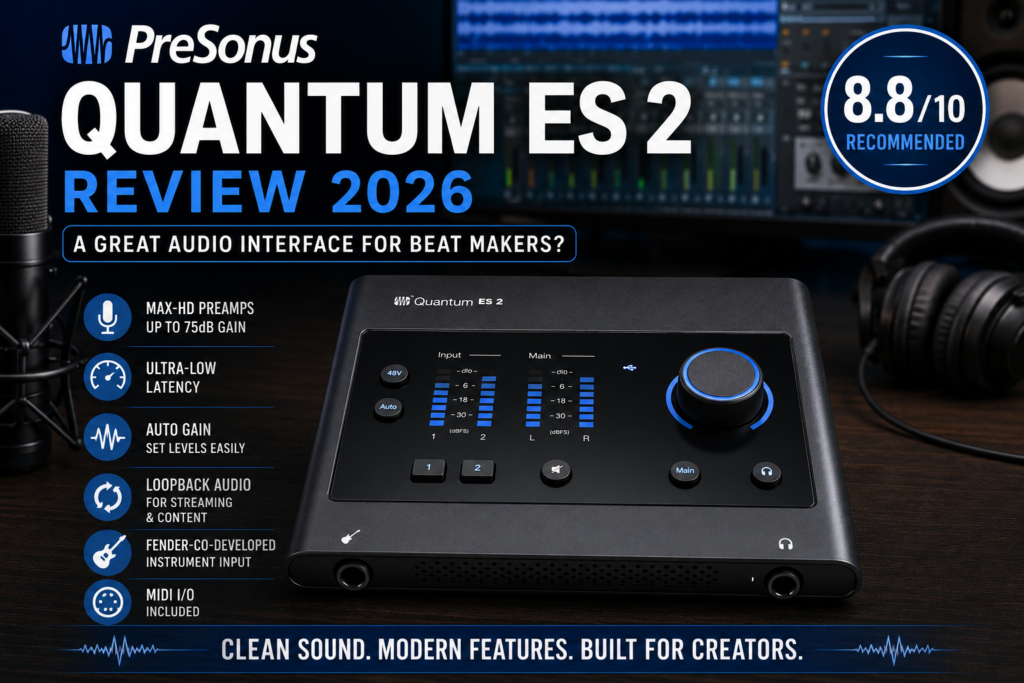
 If you’re building a home studio in 2026, choosing the right audio interface can make or break your workflow. Whether you’re recording vocals over trap beats, tracking guitar, or simply needing cleaner playback from your monitors, a solid interface matters.
The PreSonus Quantum ES 2 enters a crowded market filled with strong competitors like the Focusrite Scarlett series, Universal Audio Volt interfaces, and offerings from MOTU. So the big question is:
Is the Quantum ES 2 worth buying for producers and beat makers?
After analyzing its features, performance, and value, I think the answer is mostly yes—with a few caveats.
Quick Verdict
Rating: 8.8/10
Best For:
- Music producers
- Bedroom studio owners
- Vocal recording
- Singer-songwriters
- Beat makers using DAWs like Reason, FL Studio, Ableton Live, and Logic Pro
Not Ideal For:
- Bands needing multiple simultaneous inputs
- Engineers who need onboard DSP effects
- Advanced studios with outboard gear
First Impressions
The Quantum ES 2 is a 2-in / 2-out USB-C audio interface designed for modern creators. It has a clean desktop-friendly design, a bright front display, and top-mounted controls that feel intuitive.
Right away, this interface feels more modern than many entry-level competitors.
It doesn’t scream “cheap beginner gear.”
That matters because workflow matters.
If your interface feels frustrating, you’ll avoid recording.
Audio Quality
This is where PreSonus did a great job.
The Quantum ES 2 features MAX-HD preamps with up to 75 dB of gain, which is excellent for low-output dynamic microphones like the Shure SM7B.
That’s huge for producers recording:
- rap vocals
- R&B vocals
- voiceovers
- acoustic instruments
The preamps sound:
- Clean
- Transparent
- Low-noise
- Detailed in the high end
This means you get a neutral recording that’s easy to shape later with plugins like:
For beat makers, that’s ideal.
I’d rather have clean capture and add color later.
Latency Performance
Latency is one of the Quantum’s biggest selling points.
PreSonus built the Quantum line around ultra-low latency performance, and the ES 2 continues that philosophy. Users and reviewers consistently report very fast monitoring performance.
Why does that matter?
When recording vocals, latency kills performance.
Even slight delay can throw off timing and feel.
If you:
- track vocals over dense beats
- record MIDI instruments
- play guitar through amp sims
…low latency becomes extremely valuable.
This is one of the ES 2’s strongest advantages.
Features I Like
1. Auto Gain
This is beginner-friendly and underrated.
Press Auto Gain, perform at your normal level, and the interface helps set your input gain correctly.
That reduces:
- clipping
- distortion
- weak recordings
For newer producers, this is excellent.
2. Fender-Co-Developed Instrument Input
Guitarists will love this.
The Hi-Z input was co-developed with Fender engineers. That means better impedance matching and more natural tone when recording guitar or bass.
3. Loopback Audio
This is huge for content creators.
If you make:
- YouTube tutorials
- livestreams
- beat breakdowns
- plugin demos
Loopback makes routing system audio much easier.
For BeatCrafted readers, this matters a lot.
4. MIDI I/O
Not every interface in this price range includes MIDI.
That’s useful if you own older keyboards or hardware synths.
The Downsides
No product is perfect.
Only 2 Inputs
This is the biggest limitation.
Two inputs is enough for:
- solo producers
- vocalists
- podcasters
But not enough for:
- drum recording
- full band sessions
- multiple vocalists
If you plan to expand, consider the ES 4 instead.
No DSP Effects
Unlike some Universal Audio interfaces, there’s no onboard processing.
That means:
- no real-time compression
- no hardware EQ
- no plugin acceleration
Not a dealbreaker, but worth noting.
Some Driver Complaints
Most reviews are positive, but a small number of users reported crackles/pops depending on system configuration. This appears to be system-dependent rather than widespread.
Mac users may have the smoothest experience.
Windows users should keep drivers updated via PreSonus Universal Control.
How It Compares
| Feature | PreSonus Quantum ES 2 | PreSonus Quantum ES 4 |
|---|---|---|
| Inputs | 2 | 4 |
| Max Gain | 75 dB | 75 dB |
| Sample Rate | 192 kHz | 192 kHz |
| Auto Gain | Yes | Yes |
| Best For | Solo producer | Growing studio |
If you mainly make beats and record vocals, the ES 2 is enough.
If you’re building a larger studio, the ES 4 offers more room to grow.
Is It Good for Beat Makers?
Yes—especially if your workflow looks like this:
- Build beats in your DAW
- Record vocals
- Mix with plugins
- Export for streaming or BeatStars
That describes a huge percentage of modern producers.
For BeatCrafted readers, I’d say the Quantum ES 2 fits particularly well if you create:
- Hip Hop
- Trap Soul
- R&B
- Pop
- Singer-songwriter content
Final Verdict
The PreSonus Quantum ES 2 strikes a sweet spot between quality, modern features, and affordability.
Pros:
- Excellent preamps
- Great latency
- Auto Gain
- Loopback audio
- Clean design
Cons:
- Only 2 inputs
- No DSP
- Some isolated driver complaints
Should You Buy It?
Buy it if:
- You’re a producer recording vocals at home
- You want low latency
- You need clean professional sound
Skip it if:
- You need 4+ inputs
- You want onboard DSP
For most beat makers and content creators, this is a strong purchase.
Final Score: 8.8/10 — Recommended