Beat making stands as one of the most exciting aspects of music production, and stumbling upon exclusive beat making tutorials can really give my skills a boost quickly. When I tracked down hands-on, practical lessons paired with tips from producers themselves, my workflow started running smoother, and I felt more confident about sharing my beats. If you’re new to producing or just want to sharpen your ability, having clear and exclusive tutorials on beat making gives you a direct path to learning the tricks and tools of the trade without having to dig through scattered information.
Choosing the Right Setup for Beat Making
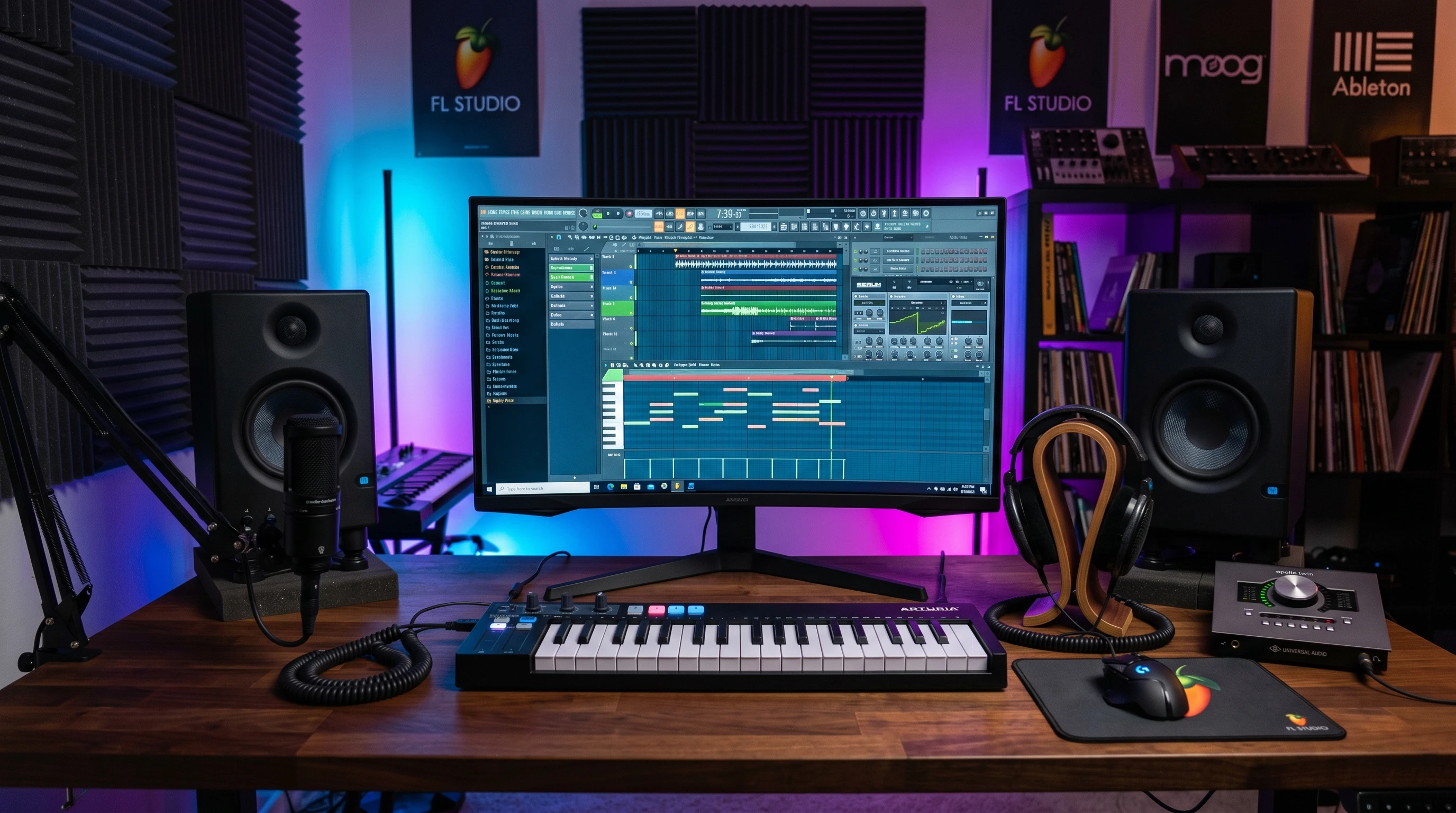
Before getting into advanced techniques, I found it really important to spend some time setting up my workspace. The heart of my studio is always the DAW, and I often recommend FL Studio for both beginners and experienced producers. FL Studio offers a simple layout, a wide range of built-in instruments, and reliable support for third-party plugins. Getting started with FL Studio is pretty straightforward. Downloading and installing it is easy, and the visual step sequencer helps me quickly build basic drum patterns and loops.
Here are a few things I always keep in mind when setting up FL Studio or any other beat making environment:
- Audio Interface: An interface like the Focusrite Scarlett improves sound quality and lets me connect microphones or instruments for recording samples.
- MIDI Controller: Using a simple MIDI keyboard lets me play out melodies or trigger drum samples in FL Studio easily.
- Studio Monitors or Headphones: Reliable speakers or headphones help when checking if my beats sound good at different volumes and ensure I hear all the little details.
Starting with the right equipment and DAW settings makes a major difference for anyone working through tutorials at home. Clean sound and predictable controls keep things simple when following along step by step.
How Exclusive Tutorials Help Me Improve Quickly
When I first started producing, online tutorials seemed endless, but not all of them were practical. Exclusive beat making tutorials usually focus on real-world techniques, modern genre tips, and shortcuts that actually speed up the learning curve. I noticed that these tutorials often cover:
- How to lay down signature drum patterns used in hip hop, trap, EDM, or pop music.
- Mixing techniques tailored for punchy kicks, snappy snares, or driving basslines.
- Ways to humanize loops so beats sound less robotic and more original.
- Arranging full tracks, including intros, drops, and creative transitions that grab listeners.
What I like most is that instructors typically use their screen recordings in FL Studio or other DAWs to show their process live while explaining every mouse click and keyboard shortcut. This method lets me watch, pause, and try things out on my own setup at my own pace. It makes learning personal and interactive, instead of just passively watching or reading.
Steps to Starting Beat Making with FL Studio
As someone newer to the software, I found FL Studio userfriendly and flexible. Here’s how I would break down my process when working through any beat making tutorial in FL Studio:
- Install and Set Up: Download the free trial or licensed copy of FL Studio, then spend a few minutes checking out the step sequencer and browser where all my sounds and effects live.
- Load Drum Samples: Drag basic drum sounds (kick, snare, hihat) into the channel rack. I usually start with a few stock sounds, then experiment with addon packs later.
- Create Patterns: Flip between Playlist and Piano Roll views to make patterns and edit notes or grooves, following the structure shown in the video or text tutorial.
- Add Melodies or Basslines: Use the built-in FL Keys or 3xOsc for synth sounds, then record simple melodies using my MIDI keyboard or by clicking notes into the Piano Roll.
- Arrange and Mix: Drop my loops into the Playlist window, tweak volume faders, and add basic reverb or EQ on the Mixer channels to get a clean mix.
Most exclusive tutorials also give bonus tips, like which shortcuts speed up editing or how to color code my arrangement for better workflow. With every run-through, I pick up fresh tricks for organization, speeding up my process, and preventing things from getting messy when I’m in the creative flow.
Common Challenges for Beat Makers and How to Handle Them
Even with some knowledge, I hit a few bumps while following along with beat making tutorials. Here’s how I got past some common issues:
- Overwhelm from Too Many Choices: FL Studio comes with a lot of plugins and sounds. I narrow down my goto kits and instruments first, then branch out gradually as I get more comfortable.
- Getting Unstuck from Beat Block: When I run out of ideas, I revisit favorite tutorials and try remixing the same beat with new sounds or faster tempos.
- Mix Sounds Getting Muddy: Layering too many conflicting samples can make a beat lose clarity. Turning down unnecessary layers, rolling off low frequencies with EQ, and using stereo panning help keep sounds cleaner.
- Exporting the Final Track: Tutorials usually demo exporting to WAV or MP3. I follow their settings to be sure I’m getting the right loudness and file size for sharing on social media or SoundCloud.
Dealing with these challenges over time has helped me understand both the software and the creative process a lot better, so I’m able to turn what were once roadblocks into stepping stones for better beats.
Making FL Studio Work for You
I discovered that FL Studio gives plenty of freedom but also has some quirks, especially with routing tracks or installing free VSTs. Exclusive tutorials in online communities or premium sites show common fixes, such as adjusting buffer size to avoid audio crackles or organizing plugin folders to find instruments quickly. Having someone else break down troubleshooting steps saves me hours of frustration.
Using Tutorials for Unique Sounds
I try not to get stuck copying every step exactly. Once I master a technique, I challenge myself to switch samples or effects and see how the beat changes. Remixing a popular drill rhythm with jazzy chords or trap hihats with old soul samples teaches me more than just repeating a template. This is how I inject my personality and evolve my style, one experimental session at a time.
Advanced Beat Making Tips to Push My Production Further
Once I felt confident building simple beats, I started getting into more detailed tutorials. Exclusive guides usually cover:
- Layering Sounds: Combining different drum hits and tuning them to fit my key makes beats sound full.
- Swing and Groove: Using FL Studio’s groove tool, I can make beats bounce with offbeat hihats or shuffled snares for urgency and momentum.
- Automation Clips: I ride volume or filter movement over time for buildups and breakdowns common in professional tracks.
- Sample Chopping: SliceX and Edison let me sample old records and rearrange parts for next-level cool effects or sampled hooks.
- Third-Party Plugins: Learning to use industry favorites like Serum, Omnisphere, or Gross Beat gives my tracks the polish I hear in chart music.
Every new method I try or experiment with adds a bit of an edge to my own sound and helps me break out of repetitive patterns. The more I play with these techniques, the closer I get to developing my own signature style.
Practical Equipment Choices for Beat Making
Having the right gear can really make the beat making process much smoother. I keep my setup minimal but focused. Here’s what I reach for when checking out tutorials or starting fresh beats:
- MIDI Keyboard: Models like the Akai MPK Mini are compact and let me experiment with melodies and drum rolls easily.
- Studio Headphones: I rely on headphones like the Audio-Technica ATH-M50x. They let me clearly hear each sound, which is really important for mixing and sound design.
- Monitors: For checking how a track fills the room, monitors like the KRK Rokit series are reliable for bedroom studios.
- External Drive: Backing up project files and new sound packs means I never lose my work and can switch computers easily if needed.
When following a tutorial, I keep my gear list simple. This avoids distractions and helps me focus on technique instead of being lost with too many choices. Simplicity keeps the creative energy flowing.
Frequently Asked Questions
I get a lot of questions about working with exclusive beat making tutorials in FL Studio. Here are some I see often, along with my own answers based on hands-on experience:
Question: What’s the best FL Studio version for beginners?
Answer: FL Studio Producer Edition offers everything I need for full tracks, including audio recording and plugin support. The trial works well for exploring features, too.
Question: How do I find exclusive tutorials that suit my style?
Answer: I search YouTube for genre specific channels, join production forums like Reddit’s r/FLStudio, and watch for producers who break down popular songs from scratch. Membership sites sometimes have even more super detailed lessons.
Question: How long does it take to make quality beats?
Answer: My fastest beats took under an hour, but most of my best work came after practicing for months and layering all the advice from tutorials into my workflow.
Why Consistent Practice Matters in Beat Making
Following exclusive beat making tutorials is one of the best ways I’ve found to make tangible progress with my music. Regular practice, a clean setup with FL Studio, and picking up tricks from advanced guides have all helped me take plain ideas and develop them into full tracks worth sharing. Over time, building the habit to try new approaches and acting on feedback makes every beat sound better and the beat making process a lot of fun. Remember, consistency is key; with each practice session, my skills and creativity both get a boost. And as I keep learning, experimenting, and seeking out new tutorials, I discover even more ways to take my sound up a notch and keep the beats coming.