DIY beat making is a super fun way to get into music production, even if you don’t have fancy gear or a big studio. When I started tinkering with beat making at home, I quickly realized how accessible it can be with just a laptop and a little creative spark. Whether you want to create tracks to rap on, compose background music for your videos, or just jam out for fun, some practical ideas and a few key tools will totally get you started.
Foundations: What You Need to Start DIY Beat Making at Home
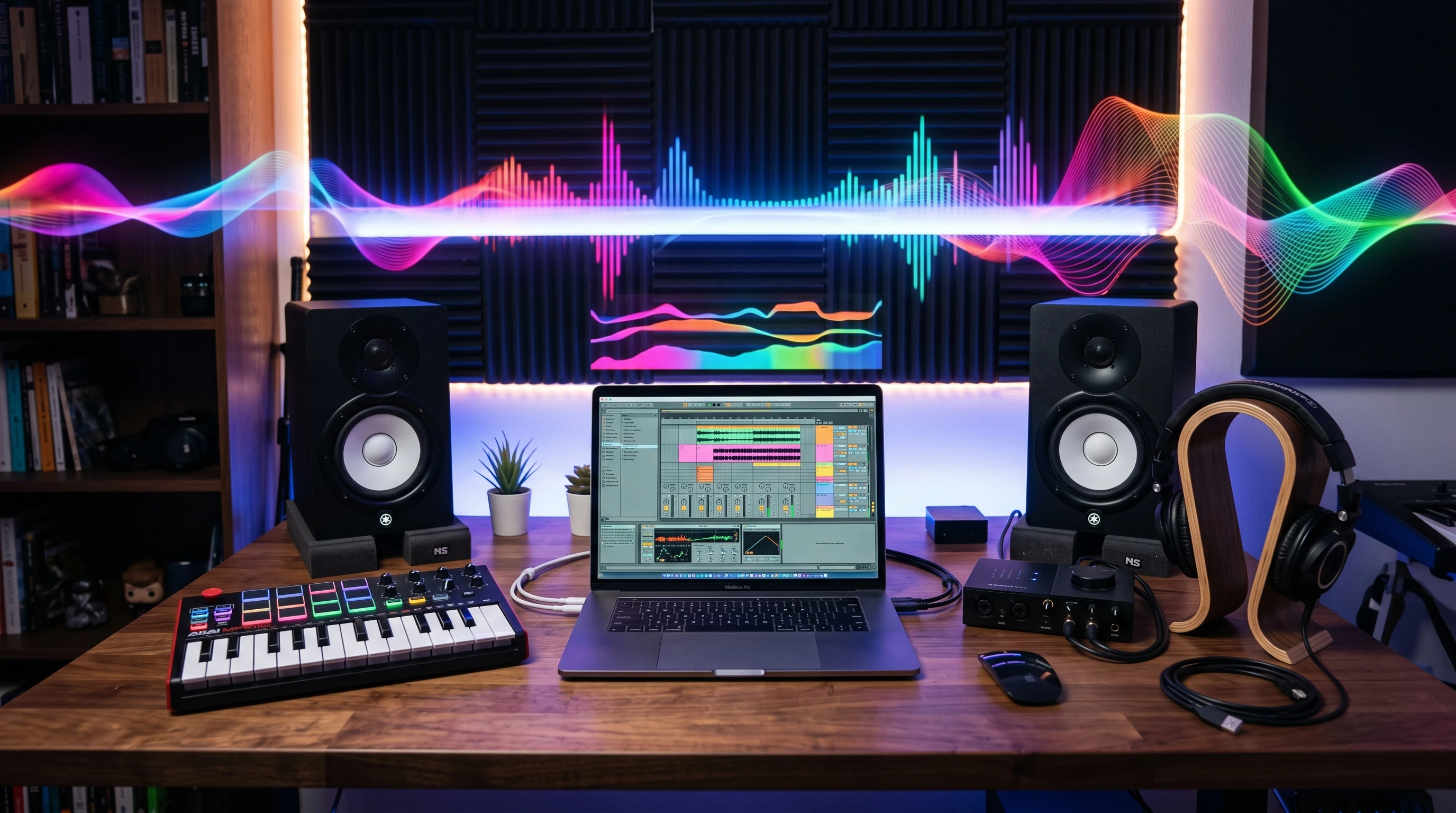
Jumping into beat making is a lot easier than it might seem. The digital age means you don’t need racks of gear. In fact, I kicked off with just an old laptop and basic music software. Here are a few basics you’ll want when setting up your beat-making space:
- Digital Audio Workstation (DAW): This is your main tool. I started out with GarageBand, which is perfect if you’re new, but other beginner-friendly DAWs like FL Studio, Ableton Live Lite, and BandLab are worth checking out. All of these let you record, arrange, and mix your ideas easily.
- Headphones or Monitors: Quality headphones make a difference in hearing the layers of your beat. Studio monitors are even better, but I made plenty of cool beats with just headphones.
- MIDI Controller: This handy keyboard or pad lets you play drum sounds and melodies straight into your DAW. It isn’t absolutely necessary, but I found it makes making music way more interactive.
- Sample Packs: Ready-made collections of drum hits, loops, and effects. These spark ideas fast, especially for new producers.
With these, you’ll have a pretty neat home studio that can handle almost any beat-making project you throw at it. If you have some extra space, you might want to add a simple desk just for your music gear—it keeps things organized and can be motivating. Don’t overlook the comfort of your workspace; being comfortable while creating can bring out your best ideas.
Getting Into the Groove: Steps for Making Your First Beat
Building your first beat can feel a bit intimidating, but I found that sticking to the basics really helps. Here’s how I usually get a simple beat off the ground:
- Start With a Drum Pattern: Lay down a kick, snare, and hi-hat. Even a super basic rhythm can form the backbone of a solid track. Many DAWs have easy grid systems for this.
- Add a Bass Line: Use either a digital synth inside your DAW or a sampled bass sound to add some groove. I like experimenting with different notes until something clicks with the drums.
- Layer Melodies or Chords: Bring in a simple chord progression or melody line using virtual instruments, sound packs, or even your own voice sampled into the DAW.
- Throw in Sounds and Effects: Add claps, vocal snippets, or quirky effects to make things unique. Little extra touches really make a beat pop.
- Structure the Beat: Arrange the sections into intro, verse, chorus, and outro, just like you’d hear in a song. Most DAWs make this drag-and-drop easy.
By following these steps, you’ll have a full beat in no time, even without previous experience. Remember, don’t be afraid to experiment or even mess up—sometimes the mistakes can turn into your favorite parts of a track.
Things to Think About Before Upgrading Your DIY Beat Making Setup
It’s tempting to buy all sorts of cool gear when you get excited about beat making, but a few important things can help you make smart choices with your time and budget:
- Budget: You don’t need to drop a ton of cash right away. Many of my favorite beats were made with free software and cheap headphones.
- Learning Curve: Some music software looks overwhelming at first. I recommend picking a DAW with lots of tutorials and community support to make the learning process smoother.
- Room Acoustics: Echoes and background noise in your room might mess with how you hear your beats. Foam panels or even blankets can help, but it’s not urgent for beginners. Setting up in a smaller space or using a closet can be a smart way to cut down on echo, too.
- Gear Compatibility: Before buying new gear, always check that it plays nice with your computer or tablet. A MIDI controller or interface might need specific drivers or USB ports.
Taking these points into account will help you build up your beat lab in a way that’s smart and not stressful. Remember, sometimes the simplest setups can lead to the most inspired sessions, so don’t let a lack of gear hold you back from getting started.
Budget and Free Resources
One thing that saved me a lot of money early on was finding free plugins, sample packs, and loops. Tons of companies put out really good free stuff, and you don’t need to sign up for anything sketchy. Sites like Splice, Cymatics, and LANDR often have free sounds worth checking out. In addition, if you browse through music production subreddits or Discord channels, sometimes producers share exclusive packs or tips for free. Swapping sounds with friends can also help you grow your collection quickly and at no cost.
Learning Curve and Tutorials
If you ever get stuck, YouTube is stacked with how-to videos for just about any DAW you choose. Forums and Facebook groups for beat makers are loaded with supportive people, too. Searching for your exact problem or question usually brings up someone who’s solved it before. Don’t hesitate to ask questions; the community tends to be friendly and eager to help newcomers grow.
Creative DIY Beat Making Ideas to Try at Home
Once you’ve got the basics down, it’s easy to get stuck in a rut using the same sounds and patterns. I’ve found a few go-to ideas that help keep things fresh, and honestly, some are way more fun than just clicking away at a screen:
- Sample Everyday Sounds: Record sounds around your house—tapping a pen, slamming a door, even your cat meowing. Load these into your DAW’s drum rack and use them as percussive elements. It’s a super personal touch that makes your beat truly yours. Try using your phone’s recorder if you don’t have a fancy mic—it gets the job done.
- Remix Old Songs: Take the acapella or instrumental from a royalty-free or public domain song, chop it up, and rearrange it to make something totally new.
- Finger Drumming: Use your MIDI pad controller (or just your computer keyboard) to play the beat by hand. It adds more human feel and a lot of character to basic grooves. This can really break up the stiffness that happens when you click everything in.
- Collab Remotely: Share unfinished beats with friends or internet collaborators using Google Drive or Soundtrap and swap ideas back and forth. It’s a fun way to pick up new tricks and keep inspiration flowing. Some producers even run beat challenges online each week with specific rules to push creativity further.
- Use Found Objects: Bang on pots, shake bags of rice, or scrape surfaces. Record these and convert them into percussive kits. The result always surprises me! Don’t be afraid to record sounds outside your home—a walk through the city can provide awesome, unique samples, too.
Trying things like these pushes you to think outside the box and find your own sound. If you ever catch yourself reaching for the same drum samples or synth pad, mix in some of these homemade or remixed ideas to reset your creative process.
Tips for Taking Up Your DIY Beats
After you’re comfortable making basic beats, there are a few good ways I’ve learned to take your skills further:
Learn Mixing Basics: Explore simple mixing skills, such as leveling, EQ, and compression, to make sure everything sits right in the track. You don’t need to be an expert; balancing volumes and removing muddiness is a great start. Watching a couple of tutorials and testing techniques on your own tracks can make a big difference in how professional your songs sound.
Upgrade Effects Gradually: Try out reverb, delay, distortion, and other DAW effects. Small tweaks can make simple beats feel spacious and exciting. Over time, you might want to explore third-party plugins, but your DAW’s stock effects can go a long way.
Switch Up Genres: Try copying the style of your favorite hip hop, trap, lo-fi, or pop producers. Working in different genres teaches you new patterns, sounds, and approaches. Even producing a style you don’t usually listen to builds your versatility and sparks fresh ideas.
Reference Other Tracks: Compare your beat’s volume and sound quality to released songs in the same genre. This helps you spot issues and improve your work. Importing a finished track into your session and flipping between it and your beat can train your ear and help you shoot for balanced, powerful mixes.
Another helpful tip is to set aside time just to experiment—try recording a beat in under fifteen minutes or using only one sound source. These creative constraints can break you out of perfectionism and help you finish more music.
Real-World Examples and Uses For Homemade Beats
I’ve seen homemade beats pop up everywhere lately. Here are some ways people are putting their DIY creations to work:
- YouTube & TikTok Videos: Music creators use custom beats as background music for vlogs, gaming videos, or tutorials. Platforms like YouTube Studio also allow you to upload your own tracks for monetized use. Pick a mood that matches your video, and you’ll have a unique signature sound.
- Pitches and Demos: Many indie artists and rappers record demo tracks over homemade beats for sharing online or sending to collaborators. This is a fun, low-pressure way to get feedback on your work.
- Podcast Intros & Outros: Making a short, catchy beat for your podcast instantly gives it personality and can be updated any time for a fresh feel. Short instrumentals or loops work best since listeners don’t want an intro that drags on.
- Live Streaming: Streamers on Twitch and similar sites often use their own music to avoid copyright claims and build a unique brand identity.
Having a bunch of your own beats ready to go opens up all sorts of doors, whether you’re making content for yourself or sharing with a wider audience. Building a small portfolio of your best work makes it easy to share with others or even offer beats to artists looking for original tracks.
Frequently Asked Questions
Beat making brings up a bunch of questions for beginners. Here are some I get all the time:
Question: Do I need a MIDI keyboard to make beats?
Answer: Not at all. You can use your mouse or computer keyboard to make melodies and drums in most DAWs. MIDI tools are just nice extras for hands-on play.
Question: What is the easiest DAW for a beginner?
Answer: GarageBand, FL Studio, and BandLab are very friendly for beginners and often come with great tutorials. Pick whatever fits your computer or workflow best, and don’t worry about getting it perfect the first time.
Question: Is it okay to use loops and samples in my beats?
Answer: Absolutely! Many producers use samples; just be sure they’re royalty-free or cleared for use if you’re planning to release or sell your music. You can always edit samples and mix up their order to make them sound unique to you.
Question: How can I make my beats sound more professional?
Answer: Practice basic mixing, use high-quality sounds, and reference other tracks in your genre. Collaboration is great too; getting feedback makes a big difference. Don’t forget that making better beats is a process that just takes steady practice and listening critically to your work.
Wrapping Up: Final Thoughts On DIY Beat Making
Jumping into beat making from home really gives you space to experiment and find your own sound. You don’t need to buy all the fanciest gear to start. Focus on what inspires you, make a habit of trying out new ideas, and have fun along the way. The more you play around and learn, the more you’ll find your own style and confidence as a creator. There are endless resources out there to help you every step of the way, so keep making noise and sharing your tracks—and enjoy the process as your music grows with you.