If you’re thinking about making your own beats or tracks, getting started with music production software is both exciting and a bit overwhelming. There’s a huge selection out there, from simple apps for beginners to professional tools used in studios. When I first jumped in, finding my way around all the options and figuring out how to use everything took some patience, but it paid off in the long run. My goal here is to lay out what you need to know right from the start, so you hit the ground running in your own music-making adventure.
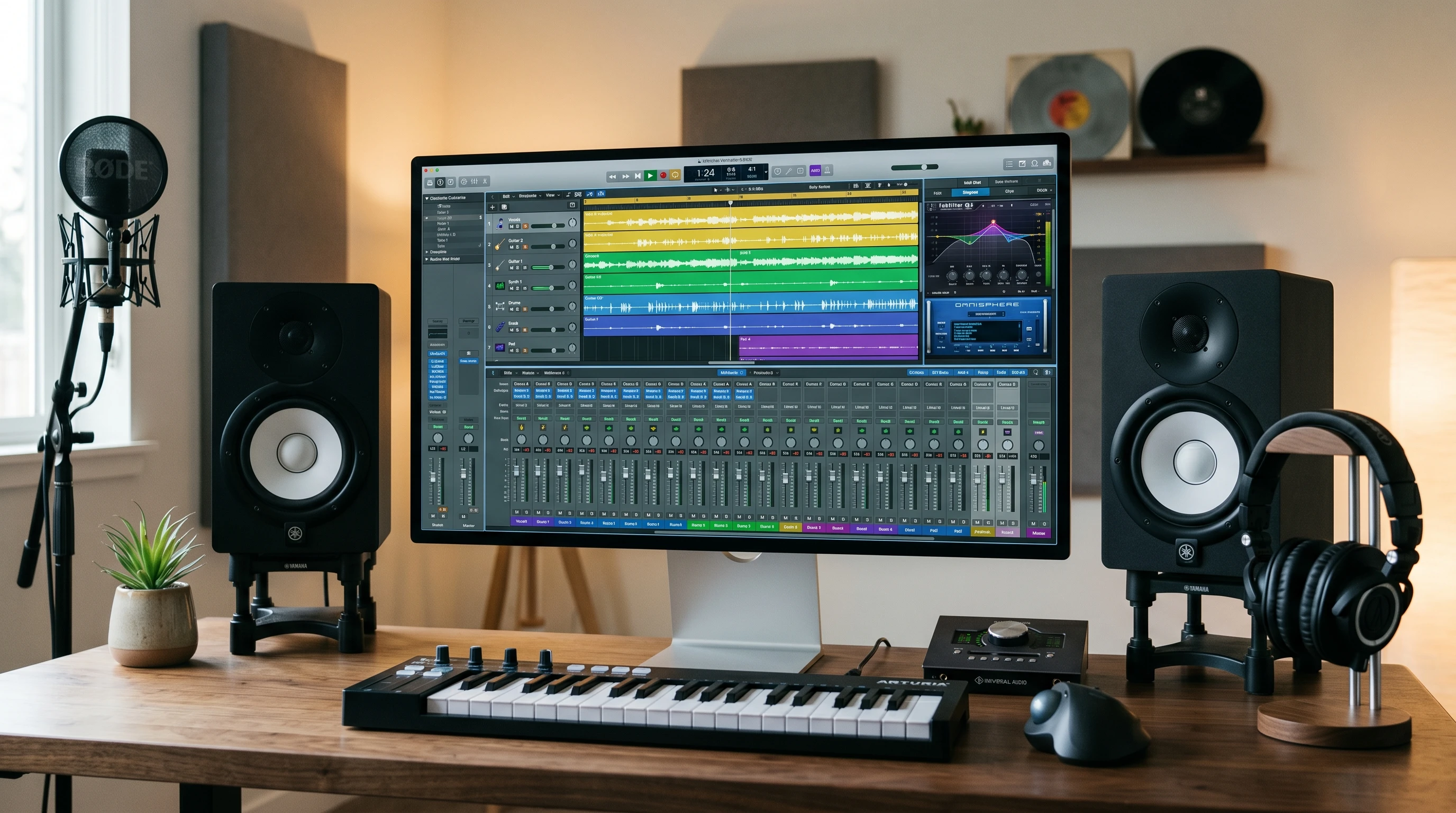
Getting Familiar with Music Production Software
Music production software, usually called a DAW (Digital Audio Workstation), is the main tool that lets you record, edit, and produce music on your computer. Even if you’ve never touched a piece of studio gear or an audio cable, these programs make it possible to lay down ideas, polish them, and turn them into finished tracks. Software has pretty much replaced old-school tape machines, so whether you’re into hip hop, EDM, rock, or classical, you’ll find everything you need in a DAW.
Just about every genre of music today uses some form of DAW, and a lot of big-name hits start on laptops in bedrooms. The most popular DAWs, such as Ableton Live, FL Studio, Logic Pro, and GarageBand, give you recording, editing, and mixing tools in one package. Many of them also include built-in instruments, drum machines, effects, and samples that help you start making music without buying extra gear. The best part is that you don’t need expensive equipment or a music degree to get started.
Choosing the Right DAW for Beginners
Picking your first music production software is really important because it shapes how you interact with your music. I tried several DAWs before settling in with one I liked. Here are a few beginner-friendly options worth checking out:
- GarageBand: This is a popular choice on Mac because it’s free, comes with lots of sounds, and has a user-friendly interface.
- FL Studio: Known for its clear layout and fun step sequencer (perfect for making beats). There’s also a generous trial mode so you can play around before buying.
- Ableton Live Intro: Offers a streamlined set of features, great for early experiments with electronic or loop-based music.
- BandLab: Completely browser-based and free, with good starter tools for recording and arranging music.
If you’re on Windows, FL Studio and BandLab are both really solid choices. The key is to pick a DAW that feels easy to use and doesn’t overload you with menus or advanced stuff you don’t need right away. Many producers stick with their first DAW for years, so it’s worth spending time on free demos to see what feels right to you.
Key Features of Music Production Software
Getting up to speed is way easier once you know the basic features you’ll use the most inside a DAW. Here’s what I found makes the biggest difference when starting out:
- Audio Recording: Lets you capture vocals, guitars, or any instrument with a microphone. Even beginners can plug in a USB mic and start tracking in minutes.
- MIDI Sequencing: Think of this as telling virtual instruments what notes to play and when. MIDI makes editing melodies and drums simple, since you can move notes around with a click.
- Virtual Instruments: Most DAWs come with built-in pianos, synths, drum kits, and more. Great for experimenting with sounds even if you don’t play traditional instruments.
- Loops and Samples: Drag and drop audio snippets let you quickly build up a song, especially handy for folks with no prior music training.
- Mixing Tools: Allows you to adjust levels, add effects like reverb or compression, and make everything sound polished.
Stumbling upon these features early on helped me get creative without getting lost in the techy details. Even using just these basics, you can make full tracks that sound good enough to share online.
Simple Steps to Start Producing Your First Track
Getting into your first DAW can feel daunting, but a simple process makes things manageable. Here’s how I like to approach making a track from scratch:
- Pick a Beat or Loop: Start with a drum loop or beat you like, either from the DAW’s library or an online source. This gives you a solid foundation to build on.
- Add Virtual Instruments: Layer in a bassline, chords, or melody using built-in synths or pianos. Don’t worry about making it perfect, because messing around is half the fun.
- Record Audio (Optional): If you have a microphone, record some vocals or acoustic instruments to add a personal touch.
- Arrange Your Song: Drag and drop your loops and instrument parts onto different sections of the timeline, building up verses, choruses, and changes.
- Mix and Tweak: Adjust levels, pan tracks left/right, and add effects like reverb or EQ to make things blend well.
- Export: Save your finished song as an MP3 or WAV file, ready to share with friends or upload online.
I’ve found that taking breaks and listening again with fresh ears helps with getting things to sound just right. The process gets easier and more creative as you get more practice.
What to Think About Before Buying Music Production Software
Not every DAW is right for every producer, so a few practical tips might help you out:
- Computer Specs: Make sure your computer meets the software’s requirements. Running out of memory or having slow processing can stall creativity fast.
- Trial Versions: Most DAWs have a demo or lite version. These let you test the workflow and make sure it matches what you want to do.
- Learning Curve: Some programs are easy for absolute beginners, while others feel less intuitive. GarageBand and BandLab are good for new users, while Ableton and FL Studio offer more features for when you’re ready to step up.
- Budget: There’s great free or low-cost software for experimenting, but you might want to invest in a full version later. Most DAWs can be upgraded with extra instruments and effects as your skills get better.
Computer Specs
Having a solid computer is important if you don’t want to deal with crashes or long load times. I used to try producing music on an old laptop, and the constant freezing drove me nuts. Checking a DAW’s system requirements ahead of time saves frustration; most need at least 8GB of RAM and a quad-core processor for smooth performance.
Learning Curve
It’s easy to feel stuck when you open up new music software and see dozens of buttons and options. That’s normal for beginners, and most DAWs have built-in tutorials or help sections. YouTube is packed with walkthroughs and beginner lessons for every popular DAW; pick one and follow along with a simple project to get comfortable.
Tips for Overcoming Common Beginner Hurdles
Even with easy-to-use software, new producers face some common obstacles. Here are a few I ran into, along with suggestions that might help you, too:
- Getting Stuck: Sometimes, staring at a blank screen is the hardest part. Using premade loops or MIDI packs helps break through creative blocks.
- Slow Progress: Don’t try to master everything at once. Focus on one feature or instrument at a time and get comfortable with it before moving on.
- Sound Quality: Cheap headphones or speakers can make mixing tough. Even a small investment in decent studio headphones can make a difference in how your music turns out.
- Feeling Overwhelmed: Nobody learns everything overnight. Set small, achievable goals like making a short beat or remixing a favorite song, and celebrate little wins as you go.
Upgrading Your Setup and Skills
As you start making more music and getting confident with your DAW, upgrading your setup helps keep things moving forward. I noticed better results when I added these to my home studio:
- MIDI Keyboard: Lets you play melodies and drum patterns naturally, which is much quicker than clicking notes with a mouse.
- Audio Interface: Improves recording quality and makes it easy to plug in microphones and instruments.
- Quality Monitors or Headphones: Accurate sound helps you make better decisions while mixing.
- Plugin Effects and Virtual Instruments: Good plugin packs for synths, compressors, and effects bring even more creative options to your sessions.
It’s worth waiting to invest in gear until you know what kind of music you want to make and what your favorite workflow looks like. Secondhand or budget-friendly options are great starting points and can give you better value as you zero in on your process.
Frequently Asked Questions About Music Production Software
Here are some questions I’ve heard from friends and readers who are just starting out:
Question: Can I make music without knowing how to play an instrument?
Answer: Absolutely. DAWs come with tons of loops, virtual instruments, and MIDI tools that don’t require traditional music skills. You can learn music theory as you go or just focus on experimenting with sounds.
Question: What kind of computer do I need for music production?
Answer: Any recent Mac or Windows PC should work for beginner projects. More complex projects may need more processing power, but for basic tracks most modern computers are good enough.
Question: How do I learn mixing and mastering?
Answer: Start by using your DAW’s built-in presets and effects. There are tons of free tutorials online that walk you through each step. Mixing and mastering are lifelong skills but get easier with consistent practice.
Getting Creative with Music Software: Real-World Examples
There’s a lot of creative freedom to explore once you get comfortable with your software. For example, making podcast intros, remixes, or adding real instrument recordings can help you stumble upon your favorite genre or workflow. Sharing tracks with friends or uploading them to SoundCloud keeps things fun and gives you motivation to keep learning.
- Electronic Music: Building beats and layering synths is easy with FL Studio or Ableton Live.
- Live Band Recording: DAWs like GarageBand or Reaper are great for multitrack recording and editing if you want to lay down vocals, guitar, and drums.
- Podcasting and Editing: Music software isn’t just for songs; it’s also useful for editing voice recordings and sound effects for podcasts or videos.
Having music production software on your computer is like owning a whole studio in a box. The more you use it, the more you’ll spot cool new ways to express yourself your way. Keep experimenting, have fun, and see where your creativity takes you!