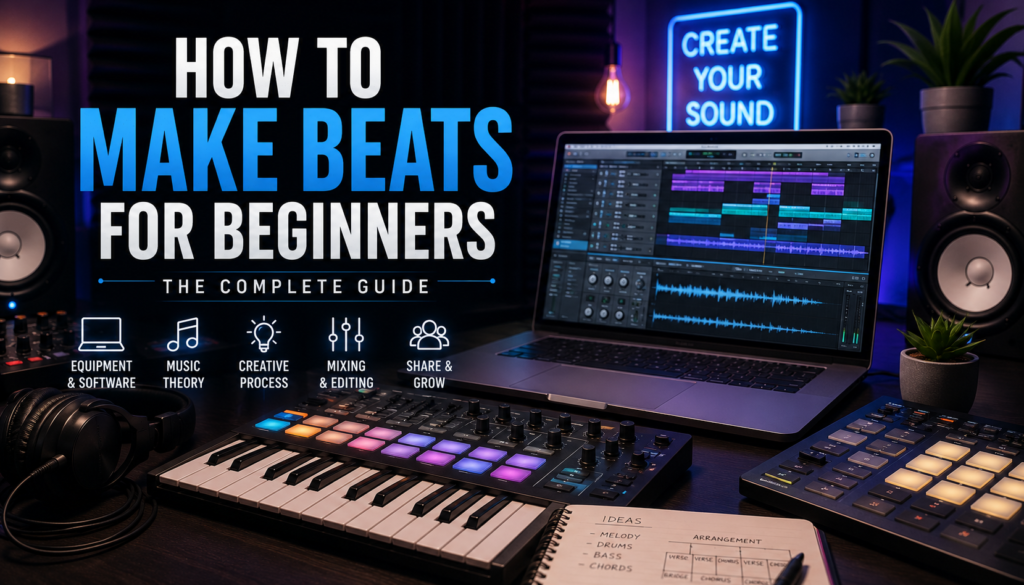
 Getting Started: Essential Equipment and Software
If you’ve ever listened to a song and wondered how producers create hard-hitting drums, smooth melodies, and polished arrangements, you’re not alone. Beat making is one of the most exciting creative skills you can learn, and the good news is that getting started is easier than ever in 2026.
Modern technology has made music production accessible to nearly anyone with a computer and the right tools. Whether you want to make hip-hop, trap, R&B, EDM, or pop, your journey begins with understanding the essential equipment and software.
Basic Equipment Needed for Making Beats
You don’t need a million-dollar studio to start producing.
Here’s the basic setup most beginners need:
Computer
Your computer is the heart of your studio. It runs your software, plugins, and audio sessions.
Look for:
- At least 16GB RAM
- Fast SSD storage
- Modern CPU for plugin-heavy sessions
Both Apple Mac and Windows machines work great. However, I recommend using a MacBook Air or Pro.
Headphones
Good headphones help you hear details while producing and mixing.
Look for:
- Balanced frequency response
- Comfortable fit
- Closed-back design for recording
MIDI Controller
A MIDI keyboard or pad controller makes creating melodies and drum patterns easier.
Benefits include:
- Faster workflow
- Better musical feel
- Easier drum programming
Audio Interface (Optional at First)
An audio interface improves sound quality and lowers latency.
Not mandatory for day one—but helpful.
Beat-Making Software: Choosing the Right DAW
Your most important software choice is your Digital Audio Workstation (DAW).
A DAW is where you:
- Program drums
- Record audio
- Arrange songs
- Mix tracks
- Export finished beats
Popular Beat-Making DAWs
FL Studio
Popular among hip-hop and trap producers.
Pros:
- Excellent piano roll
- Easy drum sequencing
- Beginner-friendly
Cons:
- Workflow may feel unique compared to other DAWs
Ableton Live
Excellent for creativity and live workflow.
Pros:
- Fast idea generation
- Great sampling tools
- Strong sound design features
Cons:
- Learning curve for beginners
GarageBand
Perfect for absolute beginners.
Pros:
- Free for Apple users
- Simple interface
- Easy learning curve
Cons:
- Limited compared to advanced DAWs
Other excellent options include Reason, Logic Pro, and Pro Tools.
Choosing the Right DAW
Ask yourself:
- What genre am I making?
- What’s my budget?
- Do I prefer keys or pads?
- Do I value speed or flexibility?
The best DAW is the one that keeps you creating consistently.
Understanding Music File Formats
File formats matter in production.
Common formats include:
WAV
High quality, uncompressed audio.
Best for:
- Recording
- Mixing
- Mastering
MP3
Compressed audio.
Best for:
- Sharing
- Streaming previews
MIDI
Contains note information rather than audio.
Best for:
- Editing melodies
- Triggering virtual instruments
Understanding these formats improves workflow.
Understanding Music Theory: The Foundation of Great Beats
Many producers avoid music theory, but even basic knowledge gives you a massive advantage.
Music theory helps explain why certain melodies and chords sound good together.
Basic Music Theory Every Producer Should Know
Focus on these fundamentals:
Scales
Scales are note collections used to create melodies.
Common beginner scales:
- Major
- Minor
- Pentatonic
Minor scales dominate modern hip-hop and R&B.
Chords
Chords are groups of notes played together.
Basic chord types:
- Major
- Minor
- Seventh chords
Chords create emotional depth.
Tempo
Tempo determines speed and energy.
Examples:
- 70–85 BPM = R&B / Trap Soul
- 130–150 BPM = Trap / Drill
- 120–128 BPM = EDM
Why Rhythm and Melody Matter
Strong beats combine rhythm and melody.
Rhythm controls movement.
Melody controls emotion.
The best producers balance both.
Developing Your Ear
Train yourself by listening actively.
Ask:
- Where does the kick hit?
- What instruments are used?
- How is the beat arranged?
- What makes it memorable?
Critical listening accelerates growth.
Tools for Learning Music Theory
Helpful resources include:
- YouTube tutorials
- Ear training apps
- Piano practice
- MIDI chord tools
Even 15 minutes daily helps.
The Creative Process: From Inspiration to Creation
Every beat begins with inspiration.
Some days ideas flow instantly.
Other days require intentional creativity.
Finding Inspiration
New producers often ask where inspiration comes from.
Try:
- Listening to favorite artists
- Sampling records
- Studying movie soundtracks
- Exploring new genres
Inspiration is everywhere.
Setting the Mood
Your sounds define your beat.
Choose:
- Samples
- Drums
- Synths
- Keys
- Pads
Sound selection can make or break a track.
Great beats often use fewer sounds than beginners expect.
Structuring a Beat
A beat needs movement.
Common arrangement:
Intro
Sets the vibe.
Verse
Creates space for vocals.
Chorus / Hook
Highest energy section.
Bridge
Adds variation.
Good arrangement prevents loops from feeling repetitive.
Overcoming Creative Blocks
Beat block happens to everyone.
Try:
- Starting with drums instead of melody
- Switching genres
- Sampling random sounds
- Limiting yourself to 5 tracks
Constraints often unlock creativity.
Bringing It All Together: Editing and Mixing Beats
Production doesn’t end after arranging.
Editing and mixing turn rough ideas into polished records.
Audio Editing Tools
Modern DAWs provide tools for:
- Quantizing
- Time stretching
- Pitch correction
- Sample chopping
- Automation
These tools improve precision.
Why Mixing Matters
Mixing ensures every sound has space.
Good mixing improves:
- Clarity
- Punch
- Balance
- Loudness
A bad mix can ruin a great beat.
Essential Effects
Effects shape tone and depth.
Reverb
Creates space.
Delay
Adds movement and width.
EQ
Removes unwanted frequencies.
Compression
Controls dynamics.
Use effects intentionally.
Too much can muddy your beat.
Finalizing for Different Listening Environments
Test your beat on:
- Headphones
- Studio monitors
- Car speakers
- Phone speakers
If it sounds good everywhere, you’re close.
Sharing and Growing: Connecting with the Music Community
Making beats is only part of the journey.
You also need visibility.
Building an Online Presence
Use platforms like:
- YouTube
- TikTok
- Beat marketplaces
- Personal website
Consistency builds trust.
Networking with Producers and Artists
Relationships matter.
Connect by:
- Commenting on content
- Joining producer communities
- Collaborating regularly
- Offering value first
Networking creates opportunities.
Getting Feedback
Feedback speeds improvement.
Seek constructive criticism from:
- Producers
- Engineers
- Artists
- Mentors
Learn to separate opinion from useful advice.
Opportunities for New Producers
There are more opportunities today than ever.
Consider:
- Beat contests
- Remix competitions
- Sample flip challenges
- Collab projects
- Selling beats online
Each opportunity helps build credibility.
Final Thoughts
Learning how to make beats can feel overwhelming at first, but every great producer started as a beginner. Focus on the fundamentals—gear, software, theory, creativity, and mixing.
Don’t obsess over perfection.
Make beats consistently.
Finish songs.
Study producers you admire.
The more you create, the better you become.
Your first beat won’t be your best—but it might be the beginning of something amazing.