Beat making is one of those hobbies that’s both rewarding and a bit addictive. Building your own rhythms from scratch helps you understand music on a new level, whether you want to keep your tracks for personal enjoyment or hope to produce full songs. The great part is, you don’t need a ton of gear or experience to get started; just some curiosity, basic equipment, and a little guidance. I’m putting together this introduction to beat making based on my experience, so you can jump right in without feeling overwhelmed.
What Beat Making Is and Why It’s Worth Trying
Beat making is the process of creating the rhythmic and instrumental foundation for music tracks. These beats are everywhere, from hip-hop and pop to dance and R&B. Before songs even get lyrics, a lot of producers start by laying down a beat that anchors the vibe of the whole track.
Digital music production has exploded in recent years. More people than ever are using beat-making as a way to express themselves without needing pricey studio time or advanced musical training. With the rise of easy-to-use production software, sampling packs, and online tutorials, nearly anyone can produce music at home. Sites like Splice have turned beat-making into a fun and social activity as well, making collaboration with other artists far easier than it used to be.
If you’re into music at all, creating your first beat is a great way to turn your ideas into something real. Plus, learning how to make beats opens up a world of music production skills like arrangement, mixing, and sound design that you can build on over time. Even as a casual hobbyist, you’ll start to spot patterns in the music you listen to and get a feel for the craft behind your favorite tracks.
The Basic Setup: What You Need to Start Making Beats
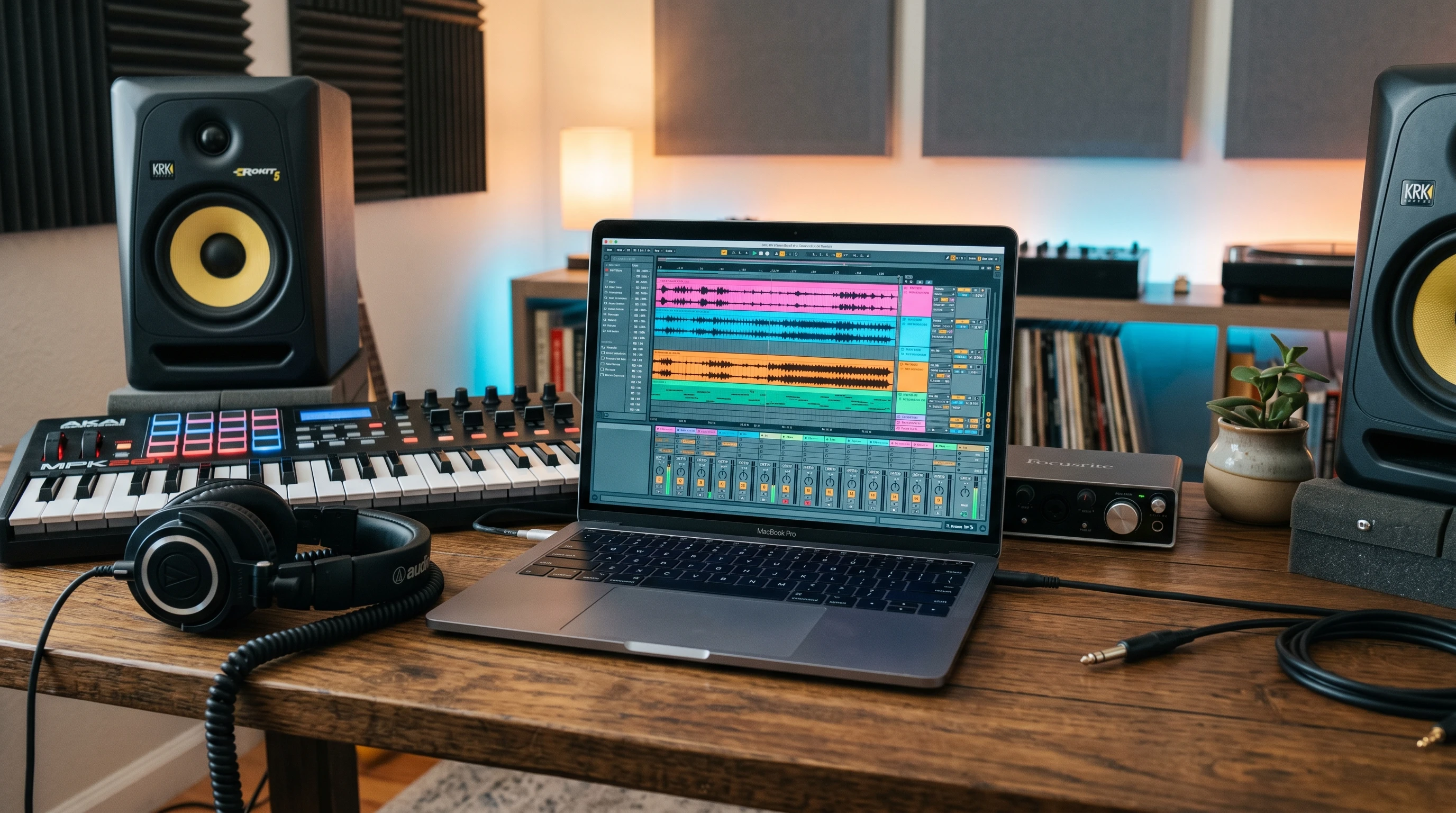
You don’t have to empty your wallet to get started with beat-making. Here’s the essential gear and software that makes the whole thing possible:
- Computer or Tablet: Nearly all beat-making happens digitally these days. Any recent laptop or desktop works well. There are also mobile options for tablets, but these might be a bit limited once you want to get more detailed.
- Digital Audio Workstation (DAW): This is the main software used to build, arrange, and edit your beats. Popular options include FL Studio, Ableton Live, GarageBand, and Logic Pro. Some even have free lite versions.
- Headphones or Studio Monitors: Clear sound is super important for beat-making. A decent pair of headphones can help you hear small details in your music until you’re ready to invest in studio speakers.
- MIDI Controller or Pad (optional): While you can draw beats in with your mouse, a MIDI controller or pad (like an Akai MPK Mini or Novation Launchpad) makes playing and recording rhythms feel way more natural.
Everything beyond this, like audio interfaces, fancy plugins, or big speakers, can wait until you’ve built up more experience and want new tools. If you’re just getting started, it’s best to keep things simple so the focus stays on learning the basics and building confidence.
Understanding the Core Concepts in Beat Making
Before cooking up your first beat, learning a few key terms and ideas makes the process less confusing. Here are the basic concepts that I wish I’d known when I started:
- Tempo (BPM): This controls the speed of your beat. Most DAWs let you set the beats per minute (BPM). Hip-hop beats are often around 70-100 BPM, dance or trap tracks push higher, sometimes 120-160 BPM.
- Bars and Measures: A bar is a segment of time in music; most beats are built in repeating patterns of 4 or 8 bars.
- Quantize: This handy feature snaps your notes or drum hits exactly into rhythm, keeping everything tight (even if your timing’s a bit off when you play them in).
- Samples: Short snippets of sound (drums, melodies, effects) that you can drag into your track. Sampling makes beat-making a lot more accessible since you don’t have to record every sound yourself.
- Loops: These are repeatable sections that can make building a beat way quicker and easier. Drum loops, melodic loops, and basslines can all be stacked together.
With these foundational ideas in mind, you’ll find it much easier to keep up with video tutorials and online articles about production. As you go, you might stumble upon even more terms, but these five are the starting point for anyone jumping into beat-making.
How to Build Your First Basic Beat
Getting over the first hurdle is usually the hardest part, so I’ve put together a quick walkthrough for making your first beat in a DAW (the steps are similar, no matter which software you choose):
- Set your tempo: Choose a BPM that fits the style you want. Around 90 BPM is a good place to start if you’re into hip-hop or lo-fi vibes.
- Create a new project and load a drum kit: Most DAWs have built-in drums. Drag in a kick, snare, and hihat.
- Draw or play in a basic drum pattern: Place the kick on beats 1 and 3, the snare on 2 and 4. Add hihats for extra rhythm.
- Add samples or instruments: Drop in a melodic loop, or use the DAW’s instruments to play a simple chord pattern or bassline.
- Arrange your beat: Copy your pattern out and move parts around, building up to 8 or 16 bars. Variation makes it interesting; mute the hihats for an intro or drop out the bass for a break.
- Listen, tweak, and export: Adjust the volume and effects until nothing feels out of place, then export your beat as an audio file to listen to on other devices. This is when your track starts feeling real.
Messing around and making mistakes is part of the process. Your first few beats probably won’t sound like the pros, but they’ll get better every time you try. In fact, going back later and listening to the early stuff makes it easy to spot how much progress you’ve made.
Common Hurdles When Getting Started
I’ve run into a few common bumps on the road, and you can save yourself some headaches by knowing about these right up front:
- Software Overload: So many DAWs and plugins can make it tough to choose. Start with one simple program (GarageBand for Mac or FL Studio for Windows) and ignore everything else until you feel comfortable. Free DAWs like Cakewalk or Tracktion are worth trying if you’re on a budget.
- Finding Sounds: Good drum samples or loops make a huge difference. Lots of sites (like Cymatics, Loopmasters, and Splice) offer free or cheap sample packs you can use even in commercial projects; just always check the license.
- Lacking Music Theory Knowledge: You don’t need to know music theory to get started, but picking up the basics (like major/minor chords or how scales work) helps a ton once you want to write catchy hooks or basslines. Tons of beginner-oriented YouTube lessons cover the essentials.
- Workflow Slowdowns: Early on, you’ll spend time simply figuring out how your DAW works. Don’t stress about speed; following step-by-step tutorials helps you learn much faster than random trial and error. Building a workflow that feels natural just takes a bit of real-world practice.
Troubleshooting: Beat Sounds Messy or Boring
If your first beats sound kind of flat, they probably need some variation. Try switching up the drum patterns every few bars, messing with velocity (how hard each hit sounds), or dropping a new instrument in halfway through. Professional producers use these techniques, and there’s no reason not to set your creativity free using their tricks!
Tips for Taking Your Beat Making to the Next Level
Once you’ve made a few simple beats, adding a bit of polish helps make your music pop. Here’s what I focus on when building up my own skills:
- Experiment with Effects: Tools like EQ, compression, delay, and reverb help you carve out space for each sound and add depth to your track. Nearly every DAW includes basic effects plugins. Just don’t go overboard; sometimes less is more.
- Reference Other Tracks: Drop in a pro-quality hit to compare volume and arrangement as you go. This keeps your ears honest and helps you spot problems.
- Use Automation: Changing the volume, panning, or effect settings as your track plays makes your beats more dynamic. Automation is a game-changer for making mixes feel alive. Learning how to use this feature is worth the effort, especially as you experiment with building tension and release in your songs.
- Team Up with Others: Sharing projects with friends or the online community (like Reddit’s r/WeAreTheMusicMakers) leads to new ideas and better feedback than you’ll ever get alone. Sometimes, just having another set of ears makes all the difference in spotting what could use a tweak.
Little tweaks go a long way, and watching how producers break down their workflow on YouTube can help answer questions in real time. My favorites include Accurate Beats, Curtiss King, and Busy Works Beats for beginner-friendly tips. If you get stuck, search for “beginner beat making tutorial” on YouTube and work along step by step to speed things up.
Real World Applications: Why Beat Making Comes in Handy
Beyond just personal fun, making your own beats is useful in a ton of situations. Here are a few examples where beat-making is pretty handy:
- Making Backing Tracks: If you play an instrument or sing, you can create your own backing music instead of buying karaoke tracks. This lets you customize arrangements or practice without relying on generic backing tracks from the internet.
- Podcast or Video Production: Custom beats and background music add personality and polish to your media projects, and you won’t have any copyright headaches.
- Songwriting and Producing: Getting your drum and melody ideas recorded is the first step to producing full tracks or working with other artists. Once you’re comfortable making beats, it’s much easier to collaborate and send ideas back and forth.
Beat making is a core skill in today’s music industry and a great creative outlet, even if you don’t plan on selling your work. The skills you pick up are useful for any kind of audio production, from beat battles on Instagram to lending friends a hand with their YouTube intros. Plus, it boosts your confidence and opens up new ways to express yourself.
Frequently Asked Questions
Here are some common questions new beat makers usually ask:
Question: What’s the best DAW for beginners?
Answer: FL Studio and GarageBand are both beginner-friendly, but any DAW that feels intuitive to you is fine. Try a few demo versions to see what you like best.
Question: Do I need to know how to play an instrument to make beats?
Answer: Not at all. Beat making is mostly about arranging sounds, though learning some keyboard or drumming skills can help you get more creative down the road.
Question: How do I make my beats sound more professional?
Answer: Focus on using high-quality samples, keeping your patterns tight with quantize, and learning how to mix (adjusting EQ and volume for each sound). Referencing other songs for comparison is really helpful too. As you get more confident, adding effects and subtle adjustments with EQ can really make things pop.
Getting Started: Your Beat-Making Adventure
Getting into beat-making is a fun way to play with music, express yourself, and maybe start a new creative path. Start with basic gear and simple software, experiment with different genres, and don’t worry about getting it perfect right away. Each beat you make teaches you something new, and the only way to get better is by doing. Grab your laptop, fire up your DAW, and see what kind of rhythms you can build today. Before you know it, you’ll have a folder full of unique songs to call your own, and who knows—you just might inspire someone else to get into music production too.