If you’re producing music at home, in a studio, or just mixing tracks with your friends, choosing your digital audio workstation (DAW) goes a long way to shaping your sound. The DAW is basically your creative hub; whether that’s laying down beats, writing melodies, or mixing full tracks. Staring at the long list of options can definitely feel overwhelming, but the good news is plenty of DAWs cater to different production styles and skill levels. I’ve spent my fair share of time experimenting with various DAWs, so I thought it would be handy to break down some top-rated choices for producers of all kinds.
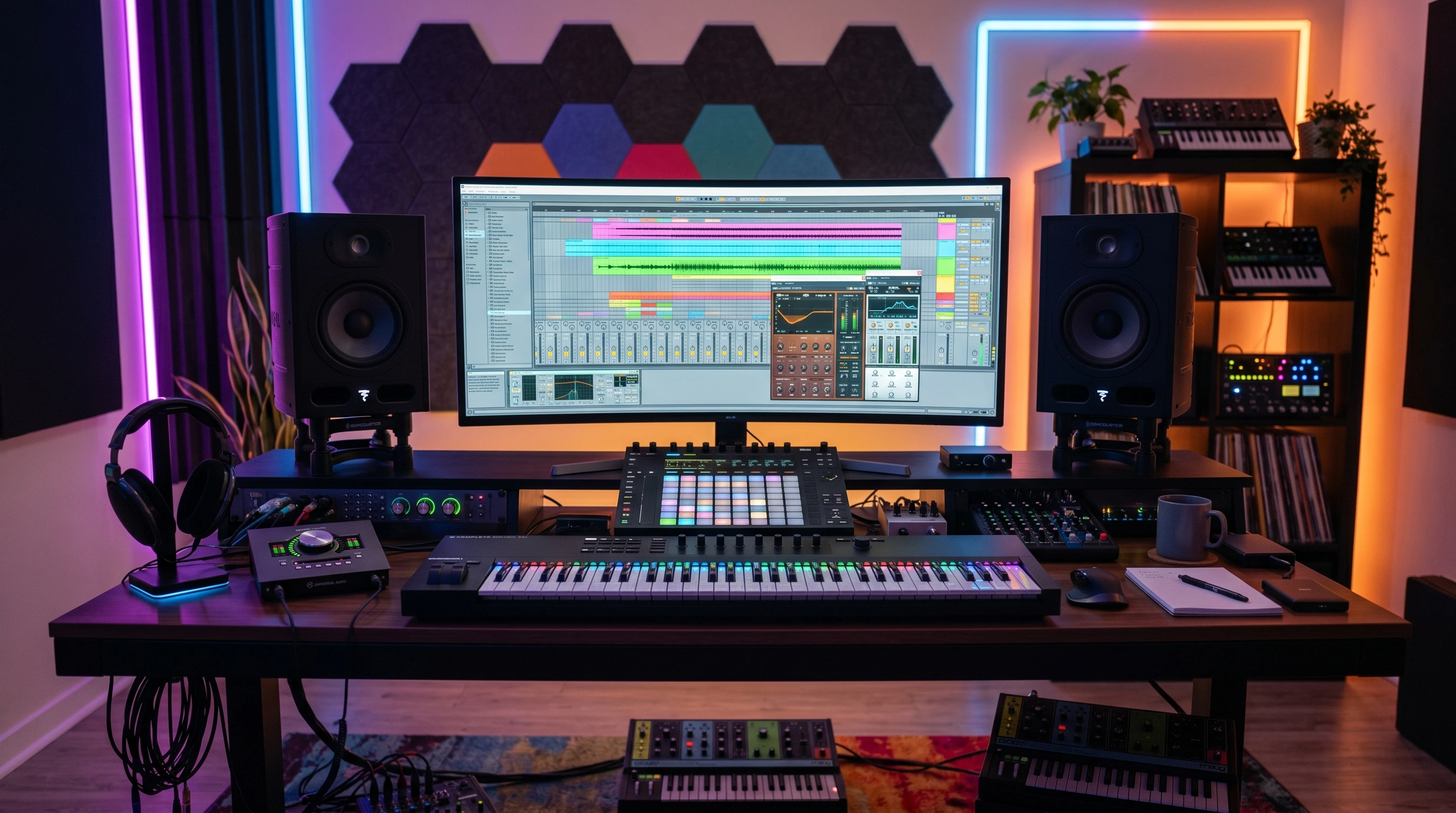
What Exactly Is a DAW?
A DAW (Digital Audio Workstation) is the heart and soul of the modern music producer’s kit. It’s where you record, arrange, edit, mix, and even master your music. This is the place for everything: stacking virtual instruments, dropping in samples, tweaking effects, and sculpting every second of a song. You don’t need a bunch of expensive gear to get started. Just a computer, a DAW, and a little patience will do the trick.
Most DAWs include MIDI sequencing, audio recording, piano rolls, an audio mixer, and often come with builtin synths, drum machines, and effects. Some DAWs focus more on electronic production, while others lean into complex audio editing or live performance features. Choosing one mostly depends on your workflow and what kind of music you want to create. The range of DAWs means there’s something available for every budget and experience level, whether you’re just learning or a seasoned pro looking to level up your workspace.
Top DAWs for Music Producers: What to Look For
Nailing the right DAW can make producing music way smoother. A few things really matter when comparing options:
- User Interface: A clean, simple layout helps creativity flow. Some DAWs are beginnerfriendly, while others can look packed with menus and buttons.
- Audio/MIDI Features: Good MIDI tools, audio editing options, and flexible routing are super important for efficiency.
- Plugin Support: VST, AU, or builtin plugins can shape your tools and sound palette.
- Compatibility: Consider if the DAW works on your operating system (Windows, macOS, Linux) and fits your audio interface or hardware needs.
- Workflow: Some DAWs are great for experimenting, looping, and quick ideas, while others are built for detailed audio editing and prolevel mixing.
You might also want to check which DAWs your favorite artists use, as that can be a great indicator for suitability based on your genre or style. Some producers love a certain DAW mainly for its signature “feel” rather than its sheer list of features.
Main Players: DAWs Worth Checking Out
After playing around with multiple DAWs (and going through more trial versions than I’d like to admit), these five jump out for their balance of usability, features, and sound quality. Each one fits a slightly different crowd, so I’ll break down who they suit and what really sets them apart.
Reason
Reason has built a loyal fan base over the years, mainly because of its “rack” interface. When I first opened Reason, it felt like stepping into a hardware studio, but without the tangled cables. You get virtual racks of synths, effects, drum machines, and more; all patchable just like a real studio setup.
- What I Like: Its interface is really visual and fun, especially for anyone who likes the feel of real analog gear. You can flip the rack around and drag virtual patch cables to route sounds however you want. Reason’s sound library is pretty deep, and their builtin synths feel legit even next to pricey hardware.
- Who It Suits: Producers into sound design, electronic, hiphop, or experimental music will find Reason’s creative playground inspiring. Big bonus if you love tweaking patches or want to learn the basics of audio routing.
- Some Drawbacks: Reason’s audio recording and traditional trackbased editing used to lag behind the competition, but newer versions (especially with the Reason Rack Plugin) fix a lot of those limitations, adding easy VST integration and more standard workflow tools.
Ableton Live
Ableton Live is famous for its session view; a grid that’s perfect for dropping in loops, ideas, or performances on the fly. When I played around with Live, it quickly became obvious why electronic producers and DJs rely on it. It’s easy to sketch out beats, jam with virtual instruments, and move clips around without ever stopping the music.
- What I Like: That “session view” grid is perfect for improvisation and creative jamming. For electronic music, dance, hiphop, and anything loopbased, Live makes it simple to whip up complex grooves quickly. The builtin devices, drum racks, and Max for Live integration unlock all sorts of possibilities.
- Who It Suits: Anyone into electronic, experimental, DJing, or live performance will get a lot from Ableton. The workflow is fast and intuitive, perfect for tossing ideas together, or playing them back in a club.
- Some Drawbacks: While its automation and arrangement tools have improved, some mixing engineers find the builtin audio editing features a bit more limited compared to something like Cubase or Pro Tools. It can also get expensive, especially the Suite version.
Cubase
Cubase has been a staple for producers since the early days of computer recording. It’s a powerhouse for both MIDI programming and detailed audio editing. My experience with Cubase involved a lot of layering and mixing, which felt smooth thanks to its powerful track management and audio editing tools.
- What I Like: Cubase’s audio editing, score writing, and MIDI sequencing are all prograde. This DAW is reliable for traditional bands, film scoring, or any setup where lots of tracks get involved. The mixing console is clear and packs in plenty of features for advanced users.
- Who It Suits: Producers recording instruments, working with large arrangements, or writing orchestral scores will find Cubase pretty handy. It covers basically any genre, from pop to classical.
- Some Drawbacks: New users might find Cubase overwhelming, since there are so many menus and windows. The full version is also one of the pricier options, but the feature set is deep if you want to get serious.
FL Studio
FL Studio (formerly FruityLoops) is legendary in the hiphop and EDM world. One of my favorite features is the step sequencer; it’s easy to drop in patterns, play with loops, and turn quick musical ideas into real songs.
- What I Like: FL Studio’s patternbased workflow speeds up beatmaking, especially if you like working with loops or quick samples. Editing MIDI, arranging, and building up a track is super visual. The Piano Roll lets you draw in melodies or tweak drum hits in detail.
- Who It Suits: Electronic music creators, hiphop producers, and anyone who prefers a playful, loopbased process. It’s approachable, but also surprisingly deep for advanced users.
- Some Drawbacks: FL Studio’s audio recording wasn’t always its strong suit; it’s improved but still feels more at home with software instruments than traditional live recording.
Bitwig Studio
Bitwig Studio is a newer but fastgrowing DAW that shares some DNA with Ableton Live. I appreciate its modular approach; clipping together devices and effects is a core part of the workflow, perfect for people who like to customize everything.
- What I Like: Bitwig’s modulation system is easy and open; you can route almost any parameter anywhere, and the interface makes building complex setups super visual. It is seriously versatile for electronic music, sound design, and experimental stuff. Frequent updates keep features fresh and reliable.
- Who It Suits: Sound designers, experimental musicians, modular synth nerds, and electronic producers wanting deep control and fresh workflow ideas.
- Some Drawbacks: Bitwig doesn’t have as big a thirdparty sound pack or tutorial library as Ableton or FL Studio. Some recording and mixing features aren’t as extensive as Cubase, but it’s growing quickly.
Picking the Right DAW for Your Needs
- For Fast Beatmaking: FL Studio and Ableton Live stand out, giving lots of producers a quick and tasty workflow for loopbased music.
- For Deep Audio and MIDI Editing: Cubase shines with detailed tools and lots of mixing flex.
- For HardwareStyle Sound Creation: Reason delivers a fun and handson vibe, with tons of synths ready to play around with.
- For Experimental and Modular Fun: Bitwig Studio’s open modulation offers wild creative options.
Many DAWs offer free demos or trial versions. Testing them out can give you a better feel for each one’s workflow and quirks. Reading forums, Youtube channels, or checking the official sites like Ableton, FL Studio, Bitwig, Reason Studios, or Steinberg (Cubase) helps too. It’s also worth hanging out on music forums or online producer communities, since people love to share specific tips and feature comparisons for these DAWs. Don’t hesitate to ask questions or request recommendations, as most users enjoy helping newcomers find their ideal software.
Common Hurdles When Switching or Starting a DAW
- Learning Curve: DAWs can look intimidating at first. Tutorials and builtin help are your friends here; I’ve found Youtube walkthroughs and forums work wonders.
- Plugin Compatibility: Some DAWs (like FL Studio) work best with specific plugin types. Doublecheck your favorites will run as expected.
- System Requirements: Running tons of plugins or tracks can bog down an older laptop. Closing background apps and upping your RAM helps.
- Project Transfer: Moving projects between DAWs isn’t always simple, since files and settings often don’t transfer directly. Export stems (audio files for each track) if you ever want to jump between DAWs.
Interface Preferences
Their layout or color scheme sometimes matters more than features. I’m picky about clear track labeling, easily resizing windows, and useful shortcuts. Most DAWs let you tweak the theme or customize controls, so it’s worth spending a little time setting things up your way. Over time, you might develop an affinity for certain designs, so don’t be afraid to test a few and see what makes your workflow enjoyable.
Workflow Tweaks To Make Life Easier
Creating templates for your usual track setup; think drums routed to a bus, standard effect chains, or favorite synths loaded and ready, saves time. Learning shortcut keys for your DAW, like muting, soloing, and starting recordings with a tap, can make a big difference. Experiment with automating repetitive tasks or saving frequently used plugin presets to streamline your processes. Little workflow tweaks can take the frustration out of technical hurdles and let you focus on the creative side of music-making.
Frequently Asked Questions
Question: What DAW should a beginner start with?
Answer: Try demos of a few and find what clicks for you. FL Studio and Ableton Live Lite are both known for their easy learning curves, while Reason makes learning synthesis feel like fun. Some beginners also enjoy GarageBand on Mac or Reaper as affordable, userfriendly entry points.
Question: Can I switch DAWs later?
Answer: Totally! Lots of producers start with one and move to another as their skills grow, or even use more than one depending on the project. Just save your projects as stems for easy transfer. Many major producers actually use more than one DAW for different stages of production or based on musical genres.
Question: Do I need extra hardware with a DAW?
Answer: Not to get started! Most come with virtual instruments, so a computer and headphones are enough. For better results later, consider a good audio interface and a MIDI keyboard. As you progress, you might want to add studio monitors, control surfaces, or other gear to add to your setup and tweak your workflow.
Wrapping Up Your DAW Search
Every music producer’s needs and workflows are a bit different, which is why the “best” DAW comes down to your own style, budget, and what inspires you. I recommend trying out a couple, watching a few workflow videos, and seeing what feels comfortable. No matter your choice, modern DAWs pack enough power and flexibility to create release-ready tracks and express ideas with almost no boundaries. Jump into producing, and enjoy the adventure as you find your own musical toolkit. Stay curious, experiment boldly, and let your creativity shape the sound that’s uniquely yours.