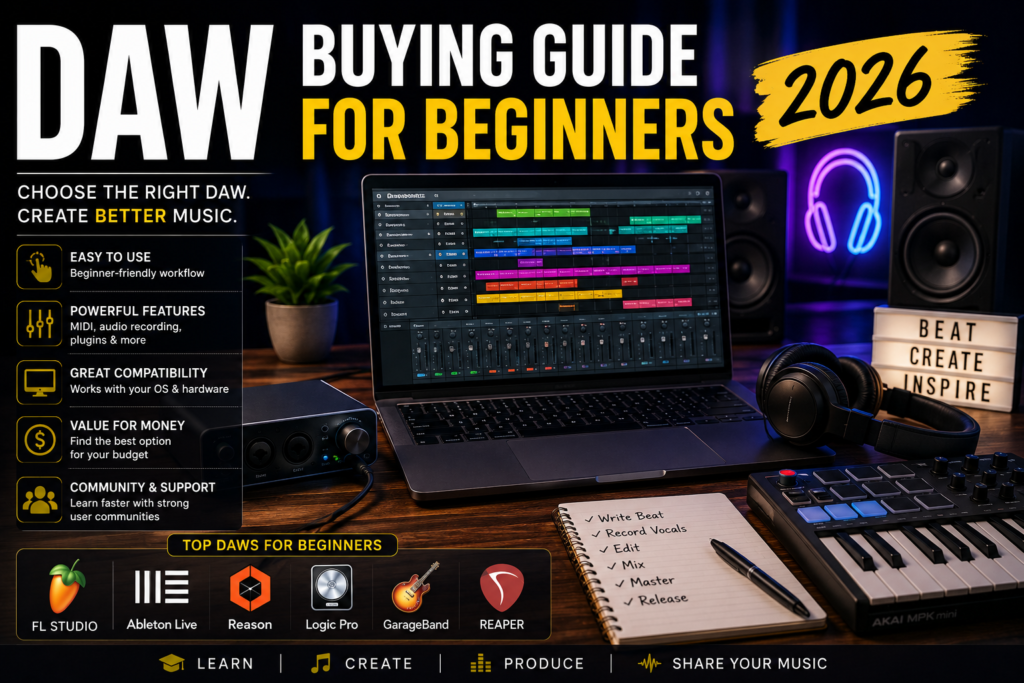
DAW Buying Guide for Beginners (2026): How to Choose the Right Music Production Software
If you’re just getting started with music production, one of the first and most important decisions you’ll make is choosing a Digital Audio Workstation (DAW). With so many options available in 2026, it’s easy to feel overwhelmed by feature lists, pricing plans, and endless recommendations from producers online.
The good news is that there has never been a better time to start making music. Modern DAWs are more powerful, user-friendly, and affordable than ever before. Whether you want to make beats, record vocals, produce electronic music, compose film scores, or launch a podcast, there’s a DAW designed to fit your goals.
In this beginner’s guide, we’ll break down what a DAW is, the features that matter most, the best DAWs for beginners in 2026, budgeting considerations, and practical tips to help you get started with confidence.
Understanding DAWs: The Ultimate Beginner’s Overview
What Is a DAW?
A Digital Audio Workstation (DAW) is software used to record, edit, arrange, mix, and produce audio. Think of it as the central hub of your music production studio.
Before DAWs became mainstream, music production required expensive recording studios filled with hardware mixers, tape machines, and racks of equipment. Today, a laptop and a DAW can provide capabilities that were once only available in professional studios.
Modern DAWs allow you to:
- Record vocals and instruments
- Create beats and drum patterns
- Program MIDI instruments
- Edit audio recordings
- Mix and master songs
- Produce podcasts
- Create soundtracks and film scores
- Design sound effects
How DAWs Have Evolved
Early digital recording systems were expensive and complicated. Today, beginner-friendly DAWs offer intuitive interfaces, built-in instruments, drag-and-drop functionality, and powerful automation tools.
Artificial intelligence features are becoming increasingly common in 2026, helping producers with tasks such as:
- Tempo detection
- Audio cleanup
- Vocal enhancement
- Chord generation
- Mixing assistance
These innovations make it easier than ever for beginners to create professional-quality productions.
Why DAWs Are Essential in Modern Music Production
Nearly every song released today has been created, recorded, or mixed using a DAW.
Whether you’re producing beats for BeatStars, recording your first EP, creating YouTube content, or composing music for clients, your DAW will become the foundation of your creative workflow.
Choosing the right DAW can significantly impact your productivity and enjoyment as you learn.
Key Features to Look for in a DAW
Not all DAWs are built the same. While most offer similar core functions, some excel in specific areas.
Multitrack Recording
Multitrack recording allows you to record multiple audio sources separately.
For example:
- Vocals
- Guitar
- Bass
- Drums
- Keyboards
Each track can be edited and mixed independently.
This feature is essential for anyone interested in recording live instruments or vocals.
MIDI Support
MIDI support is critical for beat makers and producers.
MIDI allows you to:
- Program drum patterns
- Play virtual instruments
- Edit notes after recording
- Create orchestral arrangements
- Build electronic music productions
Strong MIDI functionality can dramatically improve your workflow.
Plugin Compatibility
Plugins expand your DAW’s capabilities.
Common plugin categories include:
- EQs
- Compressors
- Reverbs
- Delays
- Virtual instruments
- Synthesizers
Look for DAWs that support industry-standard plugin formats and offer a healthy collection of included tools.
User Interface and Workflow
For beginners, workflow may be even more important than advanced features.
Ask yourself:
- Is the layout intuitive?
- Can I quickly find tools?
- Does the workflow make sense?
- Does it inspire creativity?
The best DAW is often the one that keeps you creating rather than searching through menus.
Operating System Compatibility
Before purchasing a DAW, verify compatibility with your computer.
Some DAWs work on:
- Windows
- macOS
Others may be exclusive to specific platforms.
You’ll also want to consider:
- RAM requirements
- Storage space
- CPU performance
- Audio interface compatibility
A smooth-running DAW creates a much more enjoyable learning experience.
Best Beginner-Friendly DAWs in 2026
Let’s look at some of the most popular options available today.
FL Studio
FL Studio remains one of the most beginner-friendly DAWs available.
Pros
- Excellent for beat making
- Intuitive pattern-based workflow
- Lifetime free updates
- Large online community
- Strong MIDI editing
Cons
- Audio recording workflow can feel different from traditional DAWs
- Interface may initially feel overwhelming
Best For
- Hip-Hop producers
- Trap producers
- Electronic music creators
- Beat makers
Ableton Live
Ableton Live continues to dominate electronic music production and live performance.
Pros
- Fast workflow
- Excellent MIDI capabilities
- Industry-standard for electronic music
- Powerful Session View
Cons
- Higher learning curve
- More expensive than some alternatives
Best For
- Electronic music
- Live performers
- Creative sound design
- Loop-based production
GarageBand
GarageBand remains one of the best free DAWs available.
Pros
- Free for Mac users
- Beginner-friendly
- High-quality built-in sounds
- Easy learning curve
Cons
- Mac-only
- Fewer advanced features
Best For
- Beginners
- Songwriters
- Podcasters
- Hobbyists
Logic Pro
Logic Pro offers exceptional value for Mac users.
Pros
- Huge sound library
- Professional features
- Excellent mixing tools
- One-time purchase
Cons
- Mac-only
Best For
- Songwriters
- Producers
- Composers
- Recording artists
Reason
Reason offers one of the most unique production environments available.
Pros
- Virtual rack workflow
- Outstanding stock plugins
- Excellent creative tools
- Strong sound design capabilities
Cons
- Different workflow compared to traditional DAWs
Best For
- Beat makers
- Sound designers
- Creative producers
- Electronic and Hip-Hop production
Reaper
Reaper continues to be one of the best value options available.
Pros
- Affordable
- Lightweight
- Highly customizable
- Professional capabilities
Cons
- Less polished beginner experience
- Fewer included instruments
Best For
- Budget-conscious producers
- Audio engineers
- Advanced users
Community Support and Learning Resources
One factor many beginners overlook is community support.
The larger the user base, the easier it becomes to find:
- YouTube tutorials
- Online courses
- Forums
- Facebook groups
- Reddit communities
- Templates and presets
FL Studio, Ableton Live, Logic Pro, and Reason all have active communities that make learning significantly easier.
When choosing a DAW, consider not only the software itself but also the ecosystem surrounding it.
Budgeting and Cost Considerations
Free DAWs
Excellent free options include:
- GarageBand
- Cakewalk
- Waveform Free
- Audacity (audio editing)
These can help beginners learn before investing money.
One-Time Purchase Models
Many producers prefer buying software outright.
Examples include:
- FL Studio
- Logic Pro
- Reason
- Reaper
Benefits include:
- No monthly payments
- Long-term value
- Predictable costs
Subscription Models
Some companies now offer subscription-based access.
Benefits include:
- Lower upfront cost
- Regular updates
- Access to larger software bundles
Drawbacks include ongoing expenses over time.
Hidden Costs to Consider
Many beginners focus only on DAW pricing.
Additional costs may include:
- Audio interface
- Studio headphones
- MIDI controller
- Plugins
- Sample libraries
- External storage
Planning for these expenses can prevent surprises later.
Maximizing Value
Before purchasing:
- Use free trials
- Watch tutorials
- Compare editions carefully
- Take advantage of student discounts
- Bundle purchases when available
A little research can save hundreds of dollars.
Tips for Getting Started with Your First DAW
Step 1: Install and Configure Your DAW
After installation:
- Set your audio device
- Configure sample rate
- Adjust buffer size
- Organize file locations
Taking time to configure everything properly will reduce technical headaches later.
Step 2: Learn Basic Navigation
Focus on learning:
- Transport controls
- Track creation
- Recording
- Editing
- Mixing basics
Don’t try to learn everything at once.
Step 3: Complete Small Projects
One of the biggest mistakes beginners make is starting overly ambitious projects.
Instead:
- Build simple beats
- Create short loops
- Finish small songs
- Practice consistently
Completion builds confidence.
Step 4: Build a Productive Workspace
A comfortable workspace can improve focus and creativity.
Consider:
- Good lighting
- Ergonomic seating
- Proper monitor placement
- Acoustic treatment
- Organized cables
Your environment affects your productivity more than you might think.
Step 5: Invest in Essential Accessories
Recommended beginner equipment includes:
- Audio interface
- Studio headphones
- MIDI keyboard
- External SSD
- Studio monitors (optional)
You don’t need expensive gear to create great music.
Focus on learning first.
Conclusion
Choosing your first DAW can feel overwhelming, but the reality is that there are several excellent options available in 2026. The best DAW isn’t necessarily the most expensive or the most popular—it’s the one that helps you create music consistently.
For beat makers and producers, FL Studio, Ableton Live, and Reason remain strong choices. For Mac users, GarageBand and Logic Pro offer tremendous value. Budget-conscious creators may find Reaper to be an excellent long-term solution.
Remember that every professional producer started as a beginner. Focus on learning one DAW deeply rather than constantly switching between platforms.
Master your tools, finish projects, and keep creating. Your DAW is simply the vehicle that helps bring your musical ideas to life.
Recommended Tools for Beginner Producers
Ready to build your first home studio?
Consider checking out:
- Your preferred DAW software
- A quality MIDI keyboard controller
- Studio headphones
- An entry-level audio interface
- Plugin bundles designed for beginners
Investing in the right tools can make your learning journey smoother and more enjoyable.
Frequently Asked Questions
What is the best DAW for complete beginners in 2026?
GarageBand, FL Studio, and Reason are among the most beginner-friendly options depending on your goals and computer platform.
Is FL Studio good for beginners?
Yes. FL Studio offers an intuitive workflow, strong MIDI capabilities, and a massive learning community, making it an excellent choice for beginners.
Should I choose Ableton Live or FL Studio?
Ableton Live excels in electronic music and live performance, while FL Studio is often preferred by beat makers and Hip-Hop producers.
Do I need an audio interface to use a DAW?
No, but an audio interface improves recording quality and reduces latency.
Are free DAWs worth using?
Absolutely. Many free DAWs provide enough functionality for beginners to learn music production before investing in premium software.
Can I make professional music using a beginner DAW?
Yes. Professional-quality music has been created using nearly every major DAW available today.
How much should I budget for a beginner music production setup?
A practical beginner setup can range from a few hundred dollars to over a thousand depending on your equipment choices.
How long does it take to learn a DAW?
Most beginners become comfortable with the basics within a few weeks. Mastery typically develops through months or years of consistent practice.