If you’ve dipped your toes into music production or are itching to build your own beats from scratch, a beat-making masterclass is a solid way to take things up a notch. Creating catchy hip-hop, trap, or electronic beats is completely approachable, whether you’re working with basic software or a full home studio setup. Getting those drums, melodies, and samples working together lets you put your personal stamp on every track you make. Here, I’m breaking down the main concepts, tech gear, and tips to get your beat-making flowing smoothly, even if you’re just getting started.
What Is Beat Making?
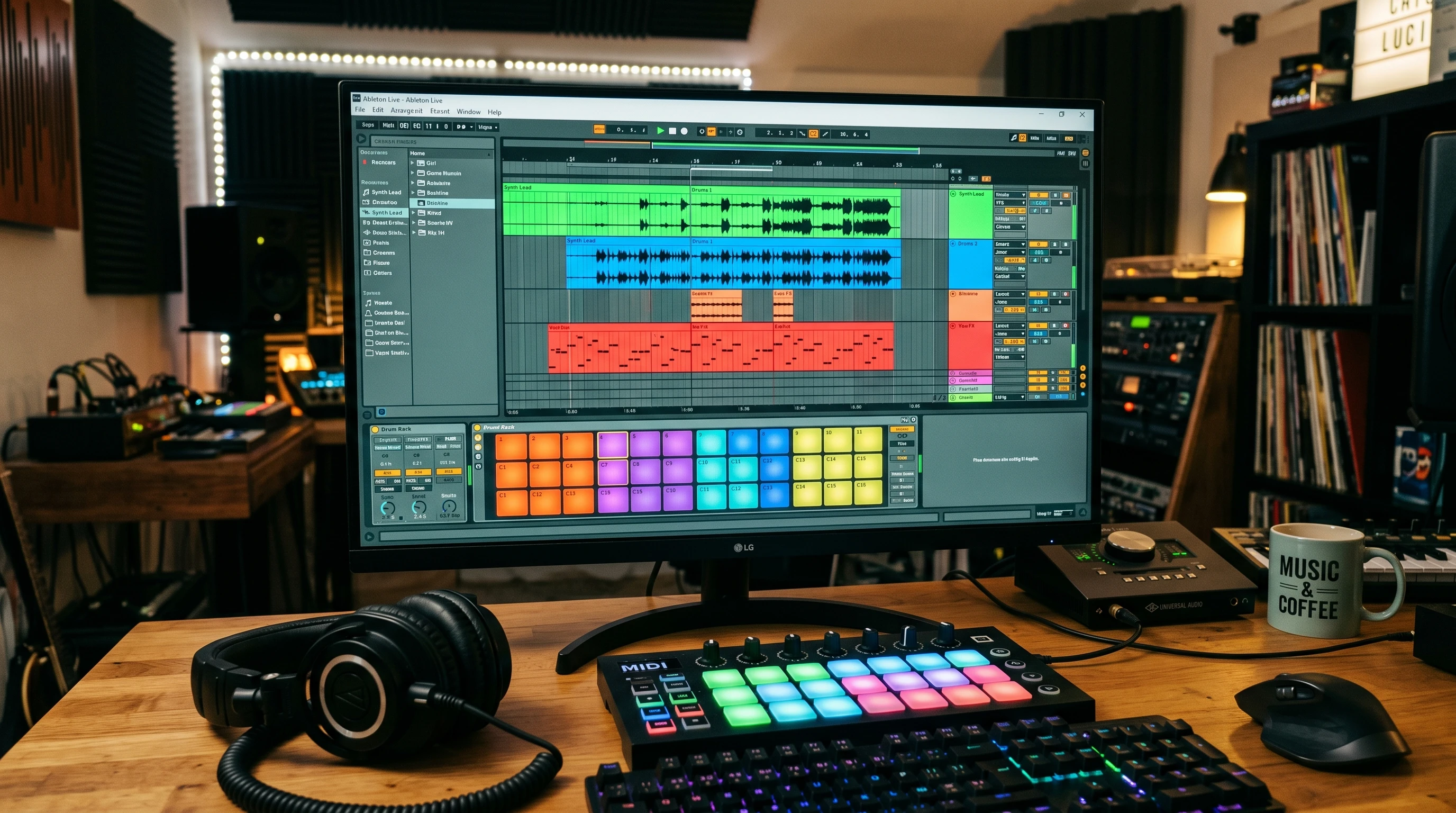
Beat making is all about building the backbone of modern music: a repeating pattern of drums, percussion, bass, and, more often than not, some melodic elements or samples. In hip-hop and pop, that beat is what hooks listeners first. Most producers use a digital audio workstation (DAW) like FL Studio, Ableton Live, or Logic Pro to put everything together. Even with just a laptop and some headphones, you can turn basic ideas into polished tracks.
Drum machines and samplers weren’t always a click away. Early producers used MPCs and hardware, manually chopping up vinyl for samples. These days it’s all software-based, but the ideas of layering, blending, and creative sound choices are here to stay. The craft of beat making keeps growing because tools are easier to use and open to anyone with an internet connection.
Core Tools and Gear for Beat Makers
Working with the right tools lets you jot down ideas faster. Here are some basic gear and software essentials I rely on, especially when starting out:
- Digital Audio Workstation (DAW): This is where you arrange, edit, and mix your entire beat. Some popular picks: FL Studio, Ableton Live, Logic Pro, or GarageBand for Mac users. Free DAWs like Tracktion or Cakewalk are worth checking out if you’re on a tight budget.
- MIDI Controller: This includes keyboards or drum pads and gives you hands-on control over notes, patterns, and drum hits. It adds a real tactile feel compared to just using your mouse.
- Audio Interface: Useful for plugging in microphones or speakers, especially if you’re recording vocals or instruments. Not 100 percent necessary for basic beat making, but super helpful once you decide to take things up a notch.
- Studio Monitors or Headphones: Decent headphones (think Audio-Technica or Beyerdynamic) help you hear all the layers. Studio monitors give a true sense of your track’s mix if you’re working in a room with good acoustics.
- Sample Packs & Plugins: Drum kits, effects, and instrument plugins let you get super creative. Tons of free or paid options are out there: Splice, Loopmasters, or Cymatics offer solid packs for every style.
Step-by-Step: How to Build a Beat from Scratch
Making a beat isn’t as wild as it seems. You can break it down into a few practical, repeatable steps. Here’s how I usually go about it, which keeps things stress-free:
- Start with the Drums: I always lay down a drum pattern first. Kick, snare, and hi-hats form that rhythm backbone. You can draw them into your DAW using a step sequencer or tap on the pads if you have a controller. Play around with different patterns until something catchy pops up.
- Add a Chord Progression or Find a Sample: Once the groove is steady, I’ll either play in some chords with a synth or go crate digging for a cool sample. The chords or sample should match your drum energy; it doesn’t need to be complex, just vibey.
- Layer the Bass: Give your beat some weight by programming a bassline that supports both the drums and chords or sample. Try using a sine wave or 808 for that deep, rumbling sound that hits hard on speakers.
- Fill It Out with Percussion and Melodies: Sprinkling in extra percussion, vocal chops, or little synth melodies is where your style comes through. Less is more if you’re not sure; leaving space makes everything sound bigger.
- Arrange Your Beat: Once you’ve got the main loop, arrange it into a full track: usually intro, verse, chorus or drop, and outro. Automation tricks like filter sweeps can create tension and keep things interesting across sections.
- Use a High Pass Filter: Pretty much everything except your kick and bass should have a high pass filter, cutting out rumble below 100 Hz or so. This simple move stops your mix from sounding muddy and makes the low end stand out.
Hurdles Beat Makers Face & Easy Solutions
Bumps in the road are part of learning, but most common beat-making challenges are fixable with a few tweaks:
- Inspiration Fades Fast: Writer’s block pops up a lot. Switch up your sound pack or change the DAW instrument to spark new ideas. Splice and Cymatics drop free packs pretty regularly, so you never run out of drum sounds or melody starters.
- Muddy Mixes: A common beginner mistake is letting all sounds crowd into the same frequencies, especially in the low end. Just putting a high-pass filter on anything that’s not bass or kick drum really helps clean things up. Don’t stack too many instruments in one spot.
- Getting Lost in Details: It’s tempting to add tons of effects and layers right away. Try to keep it simple and focus on nailing the groove and main melody first. Add the ear candy later; this keeps beats feeling tight, not cluttered.
- Technical Glitches: Computer crashes and software bugs can seriously slow down your process. I save my projects every 10 minutes or so and always back up samples or project files to Google Drive or another cloud storage option.
Mixing on Headphones
Mixing on headphones is easy when you’re working at home or traveling, but things can sound quite different on speakers. I always do final checks with both good headphones and some regular speakers, just to make sure the bass isn’t overwhelming and details aren’t missing. Bonus tip: Export your beat, then play it in your car. If it bumps there, it’ll work anywhere.
The Perks of Templates and Presets
Most pros I know set up project templates in their DAW, preloaded drum racks, effect chains, or routing setups. This way you can jump straight into creating, not messing with routine setup stuff. Using synth or effect presets as starting points is totally fair game; just tweak them to fit your sound.
Advanced Beat Making Tips That Help You Stand Out
Once your basic track building skills are sharp, trying out some more advanced techniques is a great way to push tracks further:
Sound Selection Matters: Even if your rhythm is great, bland sounds can hold back your beat. Spend time swapping different drum or synth sounds until every part hits the vibe you want. Try layering two or three snares together or adjusting reverb on claps for more personality.
Automation for Movement: DAWs allow you to automate almost any control or filter over time. Automating volume, panning, or filters during drops and bridges adds energy, keeps listeners interested, and gives your beat real flow.
Sampling and Chopping: Pulling a sample from an old record or YouTube, then slicing it and rearranging it in your DAW, is still at the heart of modern beat making. Flip, reverse, or pitch shift samples to make them unique. Websites like Tracklib offer legal ways to find and clear samples for commercial release.
Humanize Beats: Dragging every note onto the grid can sound robotic. Nudging some drum hits slightly off the grid or adjusting velocity (how hard the notes hit) gives your beat more groove and feeling.
Reference Other Tracks: Drop a favorite song into your DAW to check how your mix and energy compare. This doesn’t mean copying; it’s about matching the volume and punch so your track keeps up when played in a playlist.
Beginners’ Beat Making Toolkit
Even on a budget, you can set up a solid toolkit for making beats at home:
- Laptop (PC/Mac) or Tablet: Most modern laptops can handle basic DAWs. iPads have apps like GarageBand for touch-based beat making, too.
- Entry DIY DAWs: Free or cheap DAWs like Cakewalk, Reaper, or GarageBand help you get started without a big investment.
- Sample Packs: Free drum kits and melody samples from sites like Cymatics, Bedroom Producers Blog, or Splice’s free section give your beats plenty of variety.
- Headphones: Any decent set will do early on. Studio monitors are great if you can spring for them, but you can absolutely get started without.
You don’t have to splurge all at once. Spending a little here and there over time lets you build your setup as your skills improve. Some plugins and gear hold their value well, so you can trade, sell, or upgrade as you progress.
FAQ: Beat Making Masterclass Common Questions
How do I stay motivated to make beats regularly?
Team up with other producers online or join beat-making challenges to keep things fresh and fun. Posting your work to SoundCloud or Reddit r/makinghiphop brings more feedback and keeps you going.
What genre should I start with?
Start with whatever music you love listening to—since you’ll know the rhythms and sounds better. You can always switch things up later. Most hip-hop and trap beats use the steps above, so those are great for beginners.
Do I need to know music theory?
You don’t have to be a theory wizard. Just knowing your way around basic chords or scales is pretty handy for playability. Tons of DAWs include built-in chord or scale helpers, and YouTube has loads of step-by-step theory guides for producers.
What if I don’t have any fancy gear?
Starting with your built-in laptop keyboard and free DAW instruments still gets you in the game. You can always add more equipment as you save up or spot deals on used gear.
Keep Exploring and Practicing
Beat making gets more fun the more you experiment and finish tracks. Small improvements, like adding high pass filters, getting confident with drum patterns, or layering better sounds, add up quickly. Your personal style comes from trying new things and learning from each beat that works or flops. Recording melodies, chopping samples, and sharing your work online build up skills and confidence. Every finished beat—even a rough one—moves you closer to finding your unique voice as a producer.
Keep at it, explore different sounds, and stay curious. That’s really what beat making is about: finding inspiration and making music that feels like you. For more tips, tutorials, and sample packs, sites like ProducerSpot and Bedroom Producers Blog are super useful and packed with free resources to keep you growing as a producer.