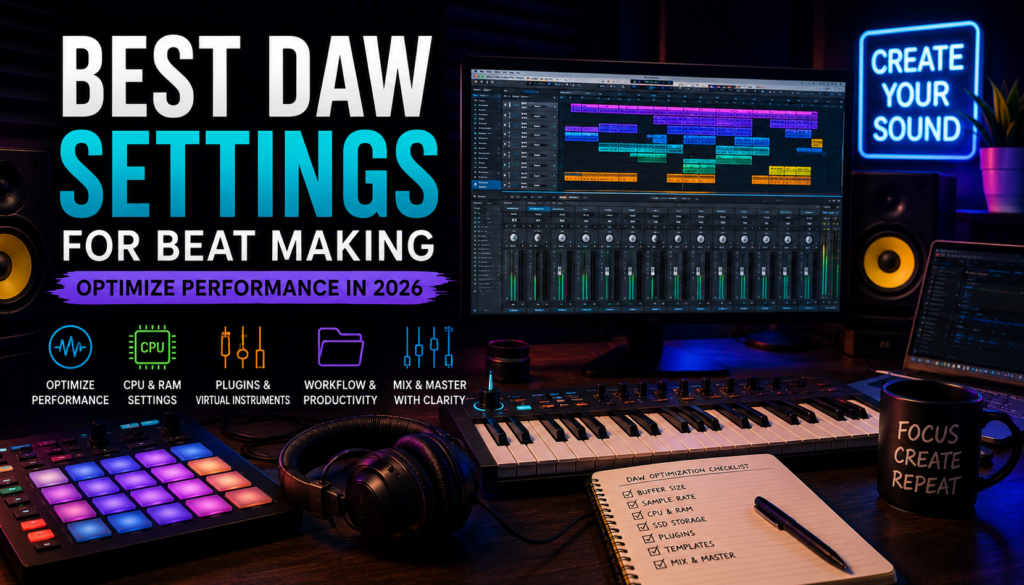
 Understanding the Basics of DAW for Beat Making and Optimizing Performance
A Digital Audio Workstation, commonly called a DAW, is the heart of modern music production. Whether you’re programming hard-hitting trap drums, creating lush R&B chords, or chopping samples for hip-hop, your DAW is where ideas become finished beats.
Popular DAWs like FL Studio, Ableton Live, Reason, Cubase, and Logic Pro all offer powerful production tools—but even the best DAW can feel slow or frustrating if it isn’t configured properly.
Optimizing your DAW settings improves:
- Performance
- Workflow speed
- CPU efficiency
- Audio quality
- Creative momentum
If your sessions lag, crackle, or overload constantly, poor optimization may be the problem—not your production skills.
Essential DAW Features Crucial for Beat Making
Not all DAW features matter equally for beat makers.
The most important features include:
MIDI Editing
Great beats often begin with MIDI.
Strong MIDI tools help you:
- Program drums
- Create melodies
- Edit chords
- Humanize patterns
Sampling Tools
For producers who flip samples or chop loops, fast sampling matters.
Look for:
- Time stretch tools
- Pitch shifting
- Slice mode
- Transient detection
Mixer and Routing
A powerful mixer helps polish your beats.
Routing allows:
- Drum buses
- Parallel compression
- Effect sends
- Creative signal chains
Automation
Automation adds movement and emotion.
Use it for:
- Filter sweeps
- Reverb throws
- Volume rides
- Build-ups
Choosing the Right DAW for Your Style
Different producers value different workflows.
Choose FL Studio if:
You want fast drum programming and melody creation.
Choose Ableton Live if:
You love experimentation and sampling.
Choose Reason if:
You enjoy sound design and hardware-style workflow.
Choose Cubase if:
You want advanced MIDI and composition tools.
The best DAW is the one that keeps you creating.
Optimizing DAW Settings for Enhanced Performance
Performance optimization can dramatically improve beat-making sessions.
Adjusting Buffer Size and Sample Rate
These two settings have a huge impact.
Buffer Size
Buffer size determines latency.
Lower buffer:
- Less latency
- Better for recording
- Higher CPU usage
Higher buffer:
- More latency
- Lower CPU usage
- Better for mixing
Recommended settings:
Recording:
128–256 samples
Mixing:
512–1024 samples
Sample Rate
Sample rate affects audio quality and CPU load.
Common sample rates:
- 44.1 kHz
- 48 kHz
- 96 kHz
For most beat makers:
44.1 or 48 kHz is ideal
Higher sample rates increase CPU usage significantly.
RAM and CPU Allocation
Large sessions consume resources fast.
Heavy CPU users include:
- Synths
- Reverbs
- Oversampling plugins
- Kontakt libraries
Recommended minimum specs for 2026:
RAM
- Minimum: 16GB
- Recommended: 32GB
CPU
Look for modern multi-core processors.
More cores help with:
- Parallel plugin processing
- Large sessions
- Faster exports
More power = fewer interruptions.
SSDs and External Drives
Storage affects speed more than many producers realize.
SSD benefits:
- Faster load times
- Quicker sample browsing
- Better project opening speed
Best setup:
Internal SSD
Use for:
- OS
- DAW
- Plugins
External SSD
Use for:
- Sample libraries
- Project backups
- Archived sessions
Avoid slow mechanical hard drives if possible.
Leveraging Plugins and Virtual Instruments Efficiently
Plugins can elevate your sound—or destroy performance.
Selecting High-Quality Plugins
Focus on plugins that solve real problems.
For beat production, prioritize:
Synth Plugins
For melodies and sound design.
Examples:
- Serum
- Nexus
- Massive
Mixing Plugins
For polishing tracks.
Examples:
- EQ
- Compression
- Saturation
- Limiters
Creative Effects
For unique textures.
Examples:
- Delay
- Reverb
- Modulation
Fewer excellent plugins beat hundreds of mediocre ones.
Managing Your Plugin Library
Too many plugins slow workflow.
Common problems:
- Endless scrolling
- Duplicate sounds
- Decision fatigue
Fix this by organizing plugins into folders:
- Favorites
- Synths
- Mixing
- Mastering
- Effects
This speeds decision-making.
Maximizing Virtual Instruments
Virtual instruments unlock endless sonic possibilities.
Use them for:
- Pianos
- Synths
- Strings
- Bass
- Pads
Layering multiple instruments creates richer beats.
Example:
- Analog pad
- Soft piano
- Sub bass
Together they sound bigger than individually.
Improving Workflow and Productivity Techniques
Fast workflow leads to more finished beats.
Create Templates and Presets
Templates save massive time.
Include:
- Drum routing
- Favorite plugins
- Sends
- Mixer chains
Open template → start creating immediately.
This removes friction.
Organize Files and Tracks
Messy sessions kill creativity.
Use naming systems:
Bad:
- Audio 1
- Audio 2
Good:
- Kick Main
- Snare Layer
- Pad Chords
Organization improves speed.
Use Shortcuts and Automation
Keyboard shortcuts are underrated.
Learn shortcuts for:
- Split clips
- Duplicate patterns
- Zoom
- Export
- Quantize
Small time savings compound.
Enhancing Audio Quality and Final Mix
A great beat needs a strong mix.
Mastering Beats Inside the DAW
You don’t need separate mastering software.
Modern DAWs can handle mastering with:
- EQ
- Compression
- Saturation
- Limiting
Basic chain:
- EQ
- Compression
- Saturation
- Limiter
Simple works.
Using Effects to Polish Your Mix
Effects add depth and polish.
Reverb
Adds space.
Delay
Adds width and movement.
Saturation
Adds warmth and harmonics.
Compression
Adds control and punch.
The key is balance.
Too much processing hurts clarity.
Ensuring Clarity and Balance
Ask these questions:
- Can I hear every element clearly?
- Is the low end controlled?
- Are vocals or melodies buried?
- Is anything masking the snare?
A clean beat often sounds more expensive than an overly complex one.
Final Thoughts
Optimizing your DAW isn’t just about performance—it’s about creativity.
When your system runs smoothly:
- Ideas flow faster
- Sessions feel lighter
- Creativity improves
The goal isn’t to own the most expensive computer or the biggest plugin collection.
The goal is simple:
Remove friction between your ideas and your finished beats.
The smoother your workflow, the more music you create—and that’s what ultimately makes you a better producer.