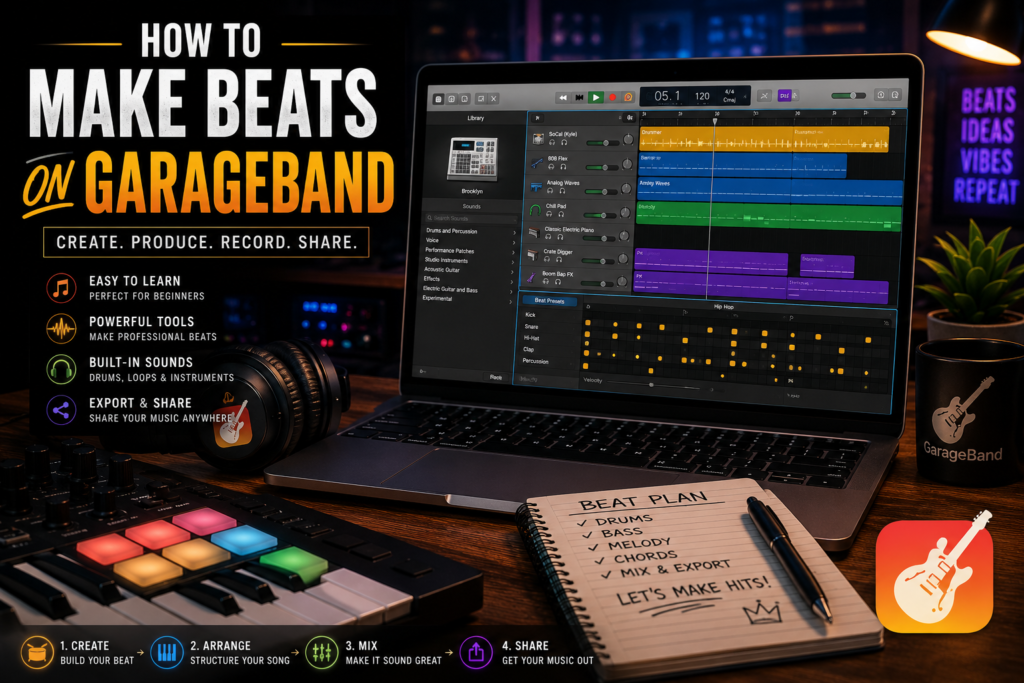
 GarageBand is like that friend who’s always up for anything. With its user-friendly interface, even if you’ve never touched a DAW before, you’ve got a buddy that makes music producing feel like a breeze. Whether you’re on a Mac, iPad, or iPhone, you’ll find your way around in no time. Start by diving into its main workspace, where the magic happens. From the track header to the control bar, every tool you need is right at your fingertips.
Before you hit the road, you’ll want to gear up. Fortunately, you don’t need much to get started. A solid pair of headphones or speakers for better sound quality is a good start. If you plan on recording, a USB microphone can be a game-changer. While GarageBand works a charm with your computer’s keyboard, a MIDI controller will really open up your creative options.
Once you’ve got your gear set, it’s time to start a new project. Open GarageBand and pick ‘New Project.’ You’ll come across various templates, from electronic to hip-hop. Choose one that vibes with what you’re going for. It’s your digital playground, so make it personal!
The sound library is where you’ll feel like a kid in a candy store. GarageBand’s wide range of instruments and loops means you’ve got a whole band’s worth of sounds at your fingertips. Set aside some time to explore and experiment—try out the synths, drums, and quirky sounds that will make your beat stand out.
An organized workspace can do wonders for creativity. Customize your workspace by adding or removing elements you use the most. Adjust settings under the Preferences tab to suit your workflow. Getting comfy and familiar with your setup will make the creative process smoother and, honestly, way more fun.
The Beat-Making Process: Crafting Your Unique Sound
Rhythm and tempo are like the heartbeat of your music — setting them right is key to getting your groove on. In GarageBand, finding the sweet spot is easy. Tap into the tempo settings at the top of your screen, play around with the BPM, and see how different speeds bring different vibes to your track.
Layering’s where your track starts to breathe. GarageBand’s collection of loops and samples lets you stack sounds and create a richer tapestry. Try mixing a drum loop with a bass line and maybe sprinkle some melody on top. Experiment with overlaying different elements until they sync like a well-oiled machine.
Genres in music are like ice cream flavors — why choose just one? Adjust the elements in your track to see how your beats can fit into various styles. Switching up your drum patterns or changing chords can lead your track from pop to something spicy like a jazz fusion beat.
Want to add your own flair? Recording your own instruments or vocals gives your tracks character that no preset can match. GarageBand makes integrating live audio into your projects straightforward, so connect a mic or instrument, hit record, and let your creativity flow. Your mistakes might just become your favorite parts of the beat.
Editing is like giving your track a style makeover. GarageBand’s editing tools let you tweak and finesse every part of your beat. Use these tools to trim, loop, or flip parts until it all sounds just right. Pay attention to details – it’s often the small tweaks that turn a decent beat into a killer one.
Bringing It All Together: Finalizing and Sharing Your Masterpiece
Mastering your tracks in GarageBand is like adding the final polish to a diamond. You’ve got a range of audio effects to elevate your sound to pro status. Whether it’s adding reverb for depth or EQ to balance the frequencies, these tools can really make your beats pop.
Once your track is polished, it’s time to save your hard work. GarageBand offers several exporting options, so whether you’re creating a file for streaming or personal listening, you’ll have no problem saving in the right format. Always keep a backup of your files—better safe than sorry, right?
Collaboration in music can be a game-changer. GarageBand makes it easy to share your projects with friends or collaborators. Use the share feature to get feedback or even start a joint project. Sometimes, a fresh pair of ears can uncover hidden potential in your music.
Ready to share your beats with the world? Marketing your music can be a clutch move for gaining listeners. Share clips or finished tracks on social media and music platforms like SoundCloud. A bit of promotion can open doors to new audiences and opportunities.
As you wrap up this project, think about what’s next. Set some goals for future tracks in GarageBand or learn new techniques to keep improving. Every beat you create adds to your skills, so keep the momentum going. Creativity thrives when you’re always reaching for the next big thing.